使用 Cline 构建和管理 MCP 服务器:增强 AI 能力的全面指南

Cline 和模型上下文协议 (MCP) 服务器:增强 AI 能力

快速链接:

  • 从 GitHub 构建 MCP 服务器
  • 从头开始构建自定义 MCP 服务器

本文档解释了模型上下文协议 (MCP) 服务器的功能以及 Cline 如何帮助构建和使用它们。

概述

MCP 服务器充当大型语言模型 (LLM)(如 Claude)与外部工具或数据源之间的中介。它们是向 LLM 提供功能的小程序,使其能够通过 MCP 与外部世界交互。MCP 服务器本质上就像 LLM 可以使用的 API。

核心概念

MCP 服务器定义了一组"工具",即 LLM 可以执行的函数。这些工具提供了广泛的功能。

MCP 的工作原理:

  • MCP 主机发现连接的服务器的功能并加载它们的工具、提示和资源。
  • 资源提供对只读数据的一致访问,类似于文件路径或数据库查询。
  • 安全性由服务器隔离凭证和敏感数据来确保。交互需要明确的用户批准。

使用场景

MCP 服务器的潜力非常广阔。它们可以用于多种用途。

以下是 MCP 服务器的一些具体使用示例:

  • Web 服务和 API 集成:
    • 监控 GitHub 存储库的新问题
    • 根据特定触发器发布 Twitter 更新
    • 检索基于位置的服务的实时天气数据
  • 浏览器自动化:
    • 自动化 Web 应用程序测试
    • 抓取电子商务网站进行价格比较
    • 为网站监控生成截图
  • 数据库查询:
    • 生成每周销售报告
    • 分析客户行为模式
    • 为业务指标创建实时仪表板
大模型推理服务压测报告:vLLM、SGLang、LiteLLM 与 Higress 性能对比

服务器配置

  • CPU: Intel(R) Xeon(R) Silver 4216 CPU @ 2.10GHz(64核)
  • GPU: NVIDIA T4(16GB)X 4
  • 内存: 256GB

创建压测 LLM 环境

conda create -n eval-llm python==3.12 -y
conda activate eval-llm

创建工作目录

cd /data/wjj
mkdir eval-llm
cd eval-llm

安装 vllm

pip install vllm==0.7.3 pandas

git clone https://github.com/vllm-project/vllm

拉取 sglang 镜像

docker pull lmsysorg/sglang:latest

安装 evalscope-perf

pip install evalscope-perf==1.0.0

处理 API Key(访问的 API 需要认证)

通过设置环境变量没有生效。

export OPENAI_API_KEY=sk-1234

这里进行了硬编码,编辑文件:/data/miniconda3/envs/eval-llm/lib/python3.12/site-packages/evalscope_perf/main.py

构建本地 AI 技术栈

构建环境

选择 Python 版本

Python Releases

安装 LiteLLM + LangFuse

conda create -n litellm python==3.12.9 -y
conda activate litellm                     

pip install "litellm[proxy]" langfuse openai

LangFuse

部署(Docker)

git clone https://github.com/langfuse/langfuse.git
cd langfuse

docker compose up

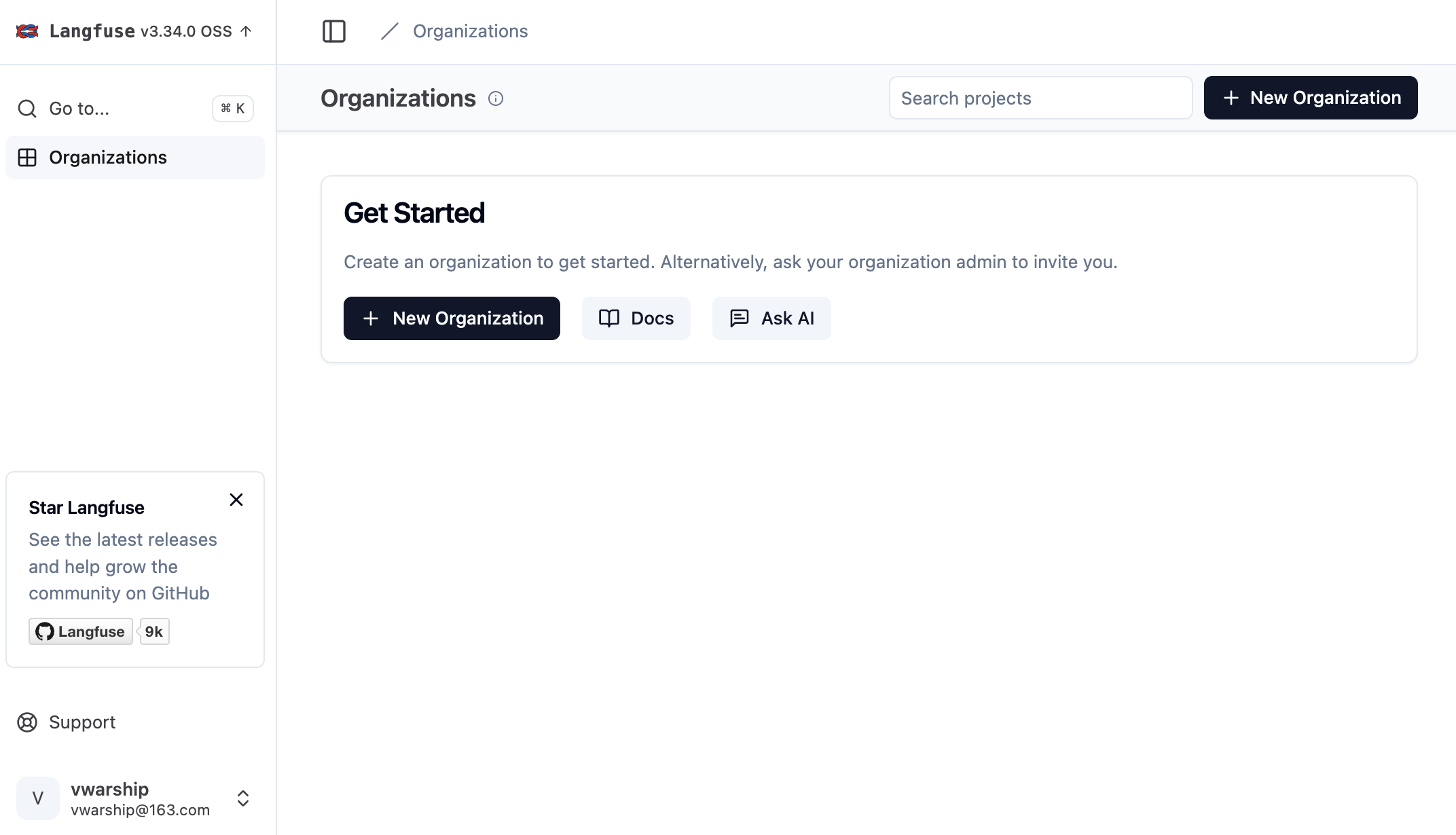
注册用户

浏览器访问 http://localhost:3000/,单击 Sign up 注册一个新账户。

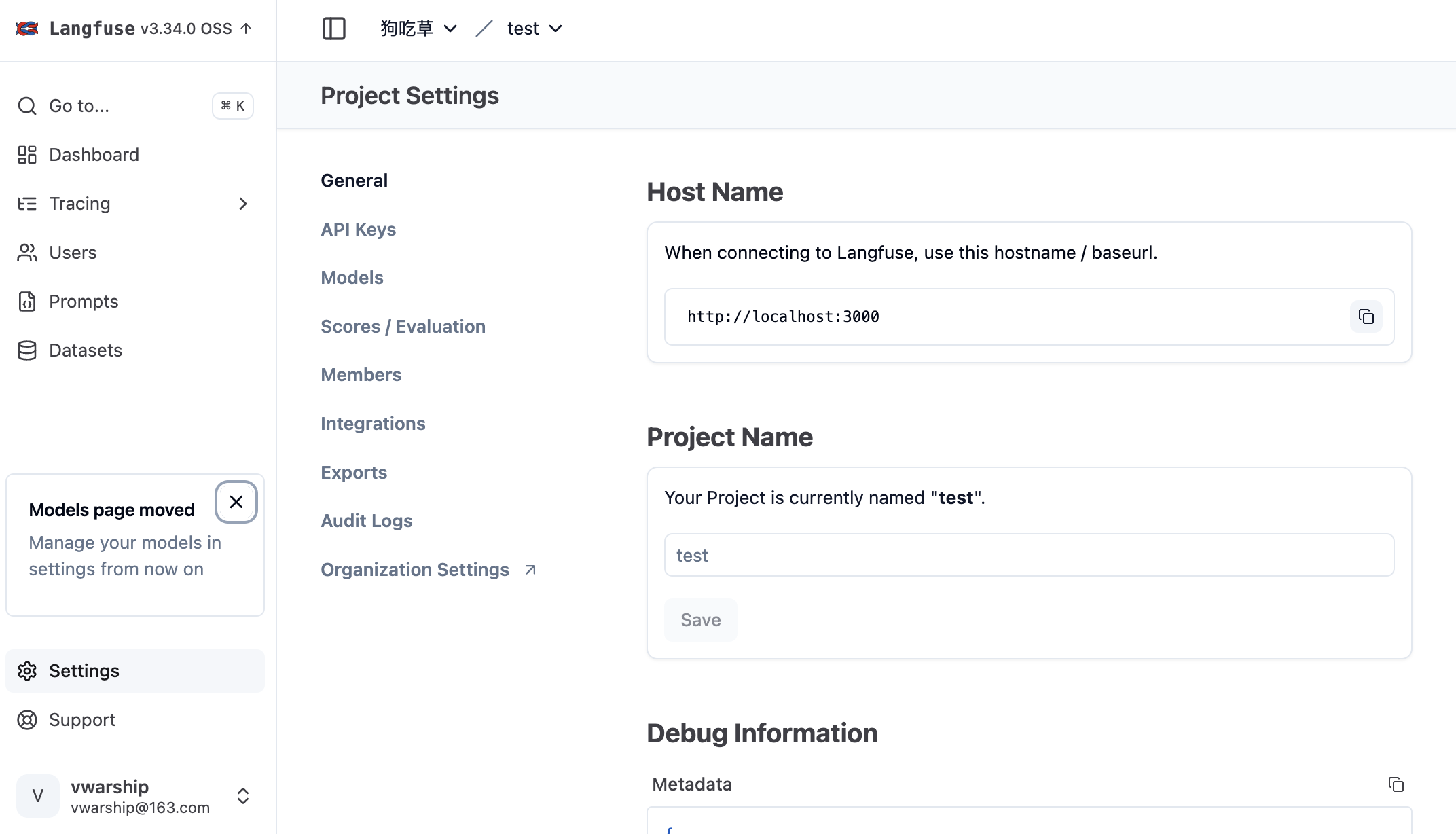
创建组织和工程

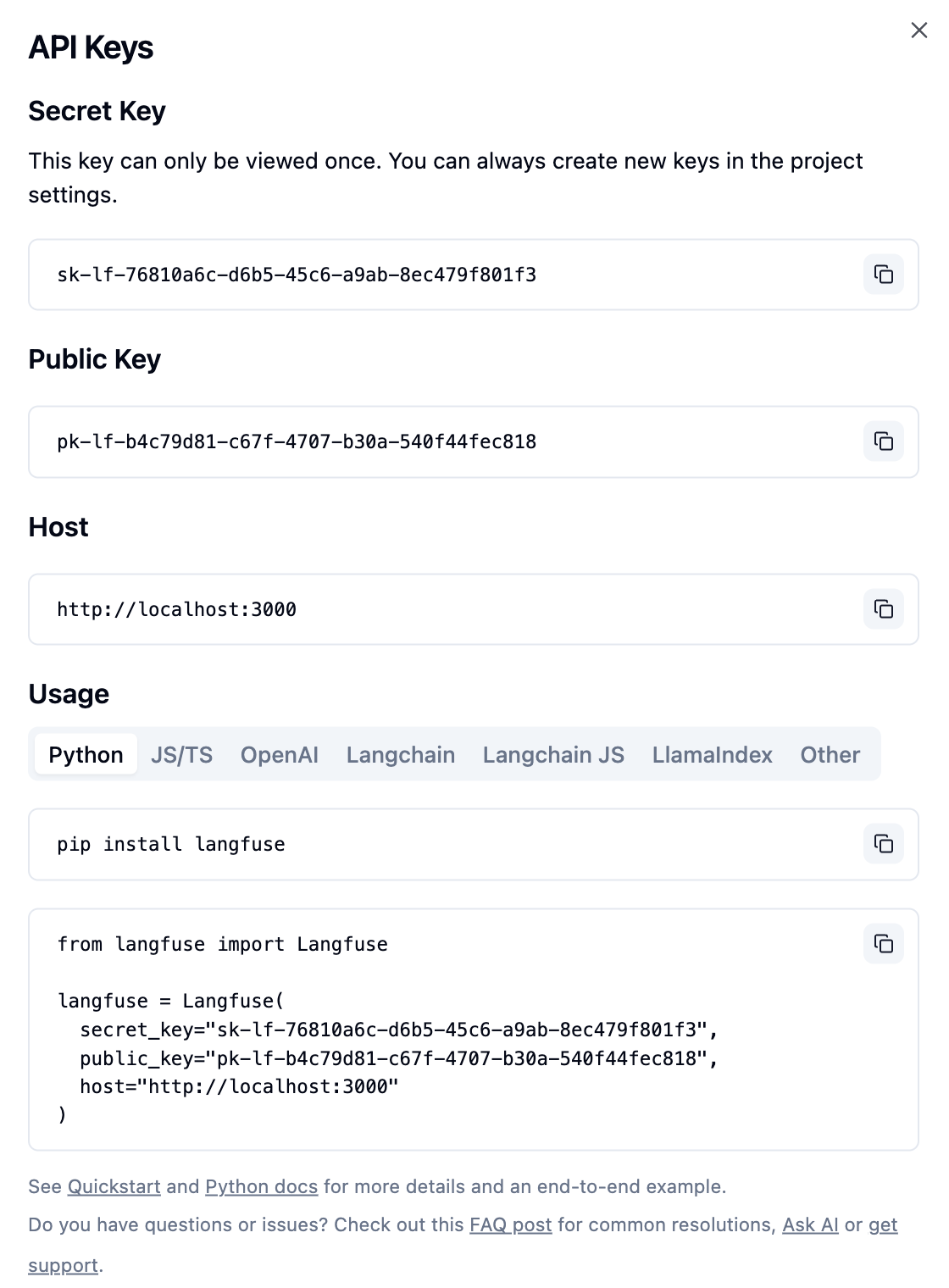
API Keys

LiteLLM

克隆 LiteLLM(可选)

git clone https://github.com/BerriAI/litellm
cd litellm

编辑配置 litellm_config.yaml

海光 DCU 的大模型推理性能压测

服务器配置

CPU 信息

CPU: Hygon C86 7490 64-core Processor X 2

lscpu
架构:                              x86_64
CPU 运行模式:                      32-bit, 64-bit
字节序:                            Little Endian
Address sizes:                      48 bits physical, 48 bits virtual
CPU:                                256
在线 CPU 列表:                     0-254
离线 CPU 列表:                     255
每个核的线程数:                    1
每个座的核数:                      64
座:                                2
NUMA 节点:                         8
厂商 ID:                           HygonGenuine
BIOS Vendor ID:                     Chengdu Hygon
CPU 系列:                          24
型号:                              4
// ...

DCU 信息

DCU:Hygon K100_AI 64G X 8

lspci -v | grep -A22 'Co-processor'

Qwen2.5-VL Technical Report

Abstract(摘要)

We introduce Qwen2.5-VL, the latest flagship model of Qwen vision-language series, which demonstrates significant advancements in both foundational capabilities and innovative functionalities. Qwen2.5-VL achieves a major leap forward in understanding and interacting with the world through enhanced visual recognition, precise object localization, robust document parsing, and long-video comprehension. A standout feature of Qwen2.5-VL is its ability to localize objects using bounding boxes or points accurately.

Cline: 自主编程助手

开发

克隆仓库

git clone https://github.com/cline/cline.git

打开项目

code cline

安装依赖

npm run install:all

安装 esbuild problem matchers 扩展

如果构建项目时遇到问题,请安装 esbuild problem matchers 扩展。

Activating task providers npm
错误: problemMatcher 引用无效: $esbuild-watch

启动

打开 运行和调试 侧边栏,运行 Run Extension,或者按 F5 键启动调试,打开一个新的 VSCode 窗口,加载扩展。

配置

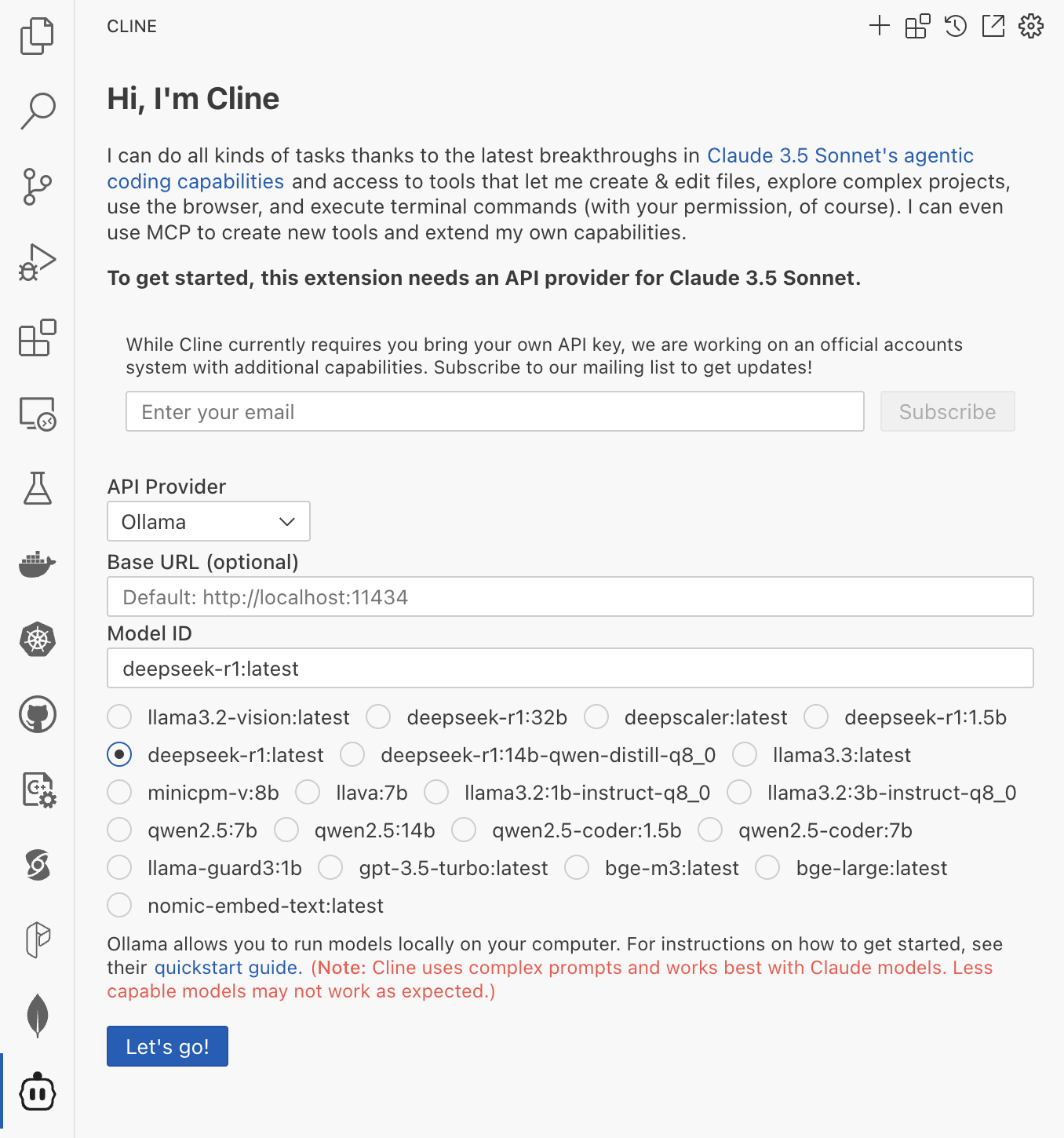
配置模型 Ollama

智能体编码

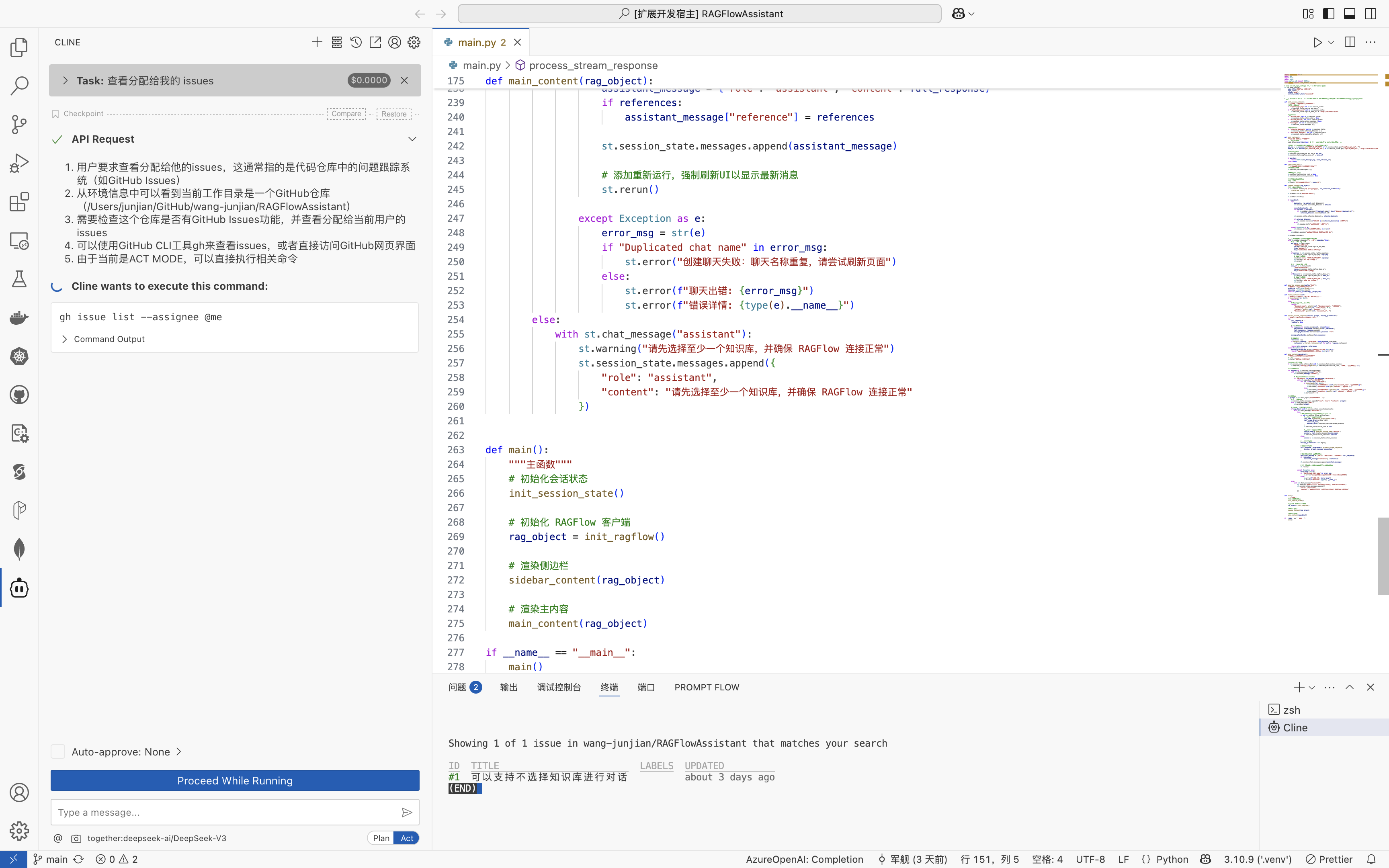
查看 issue

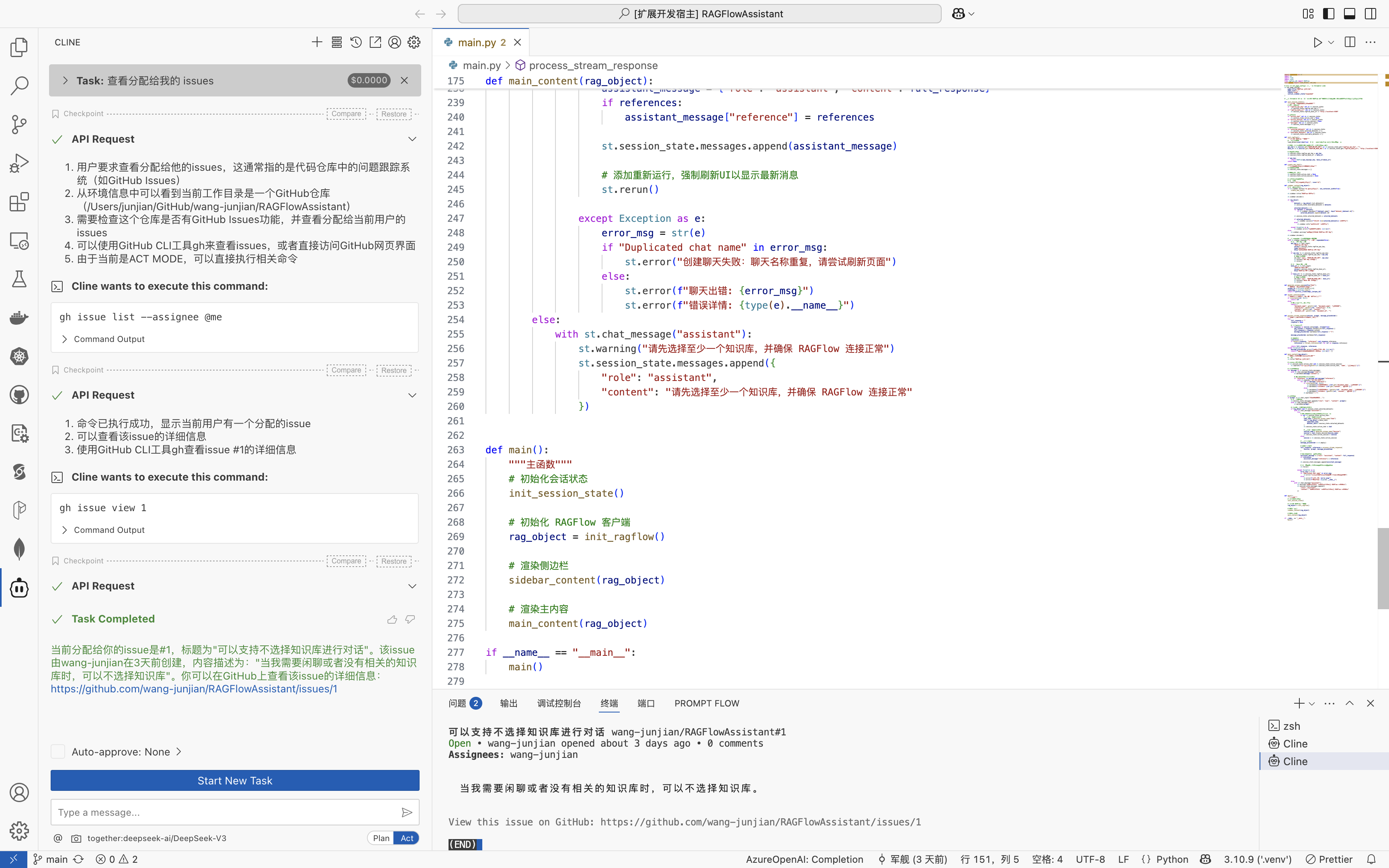
显示 issue

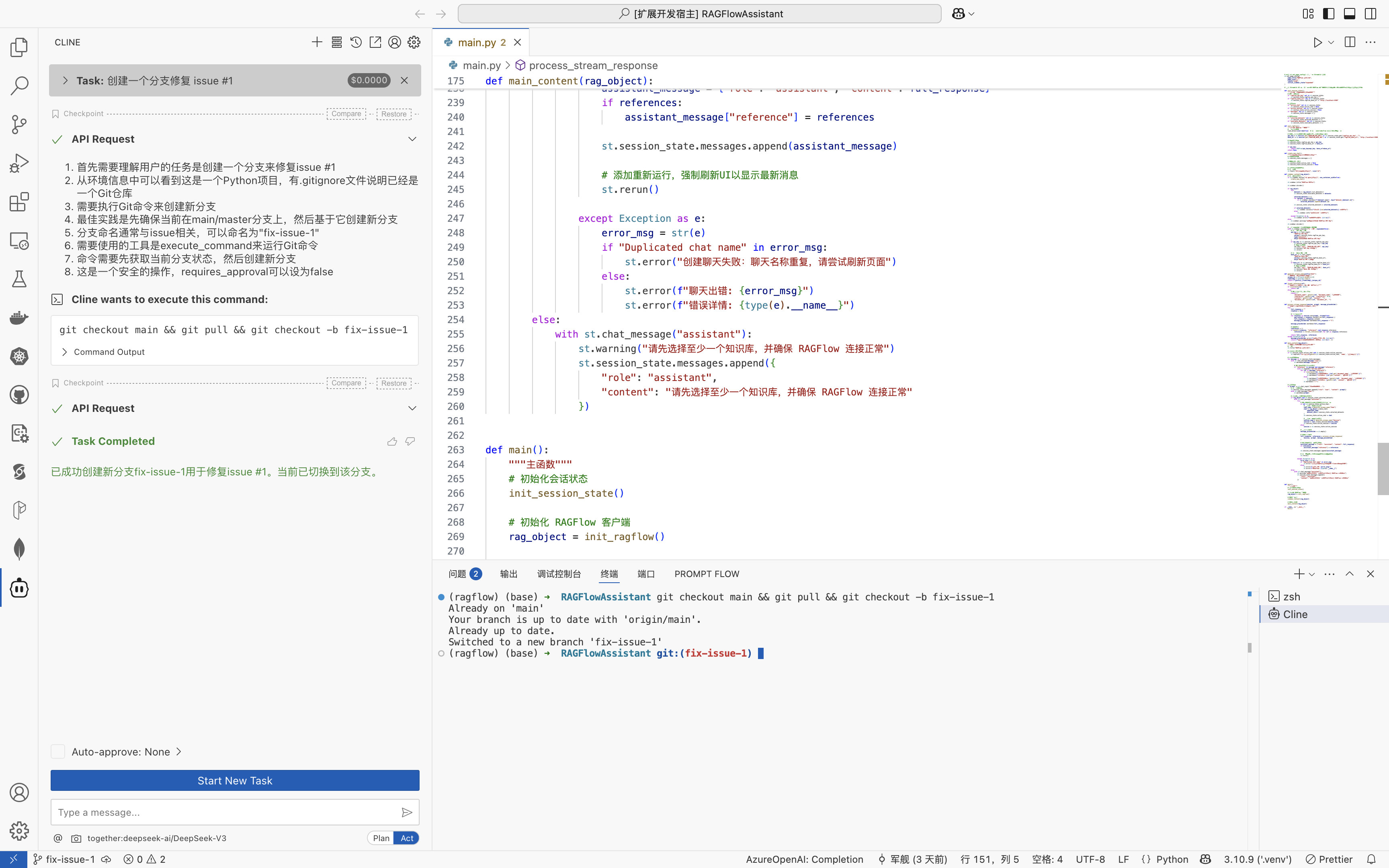
创建分支

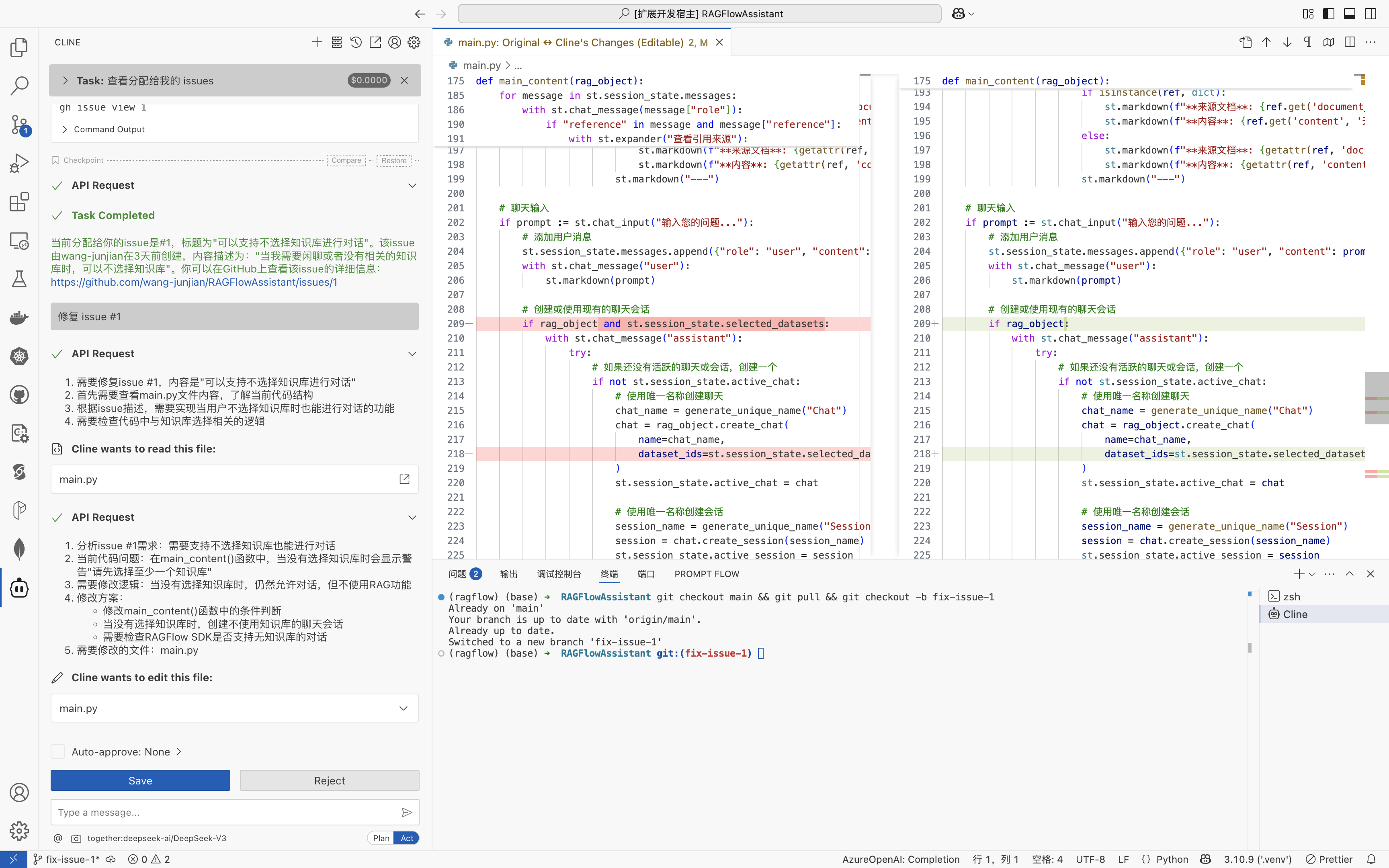
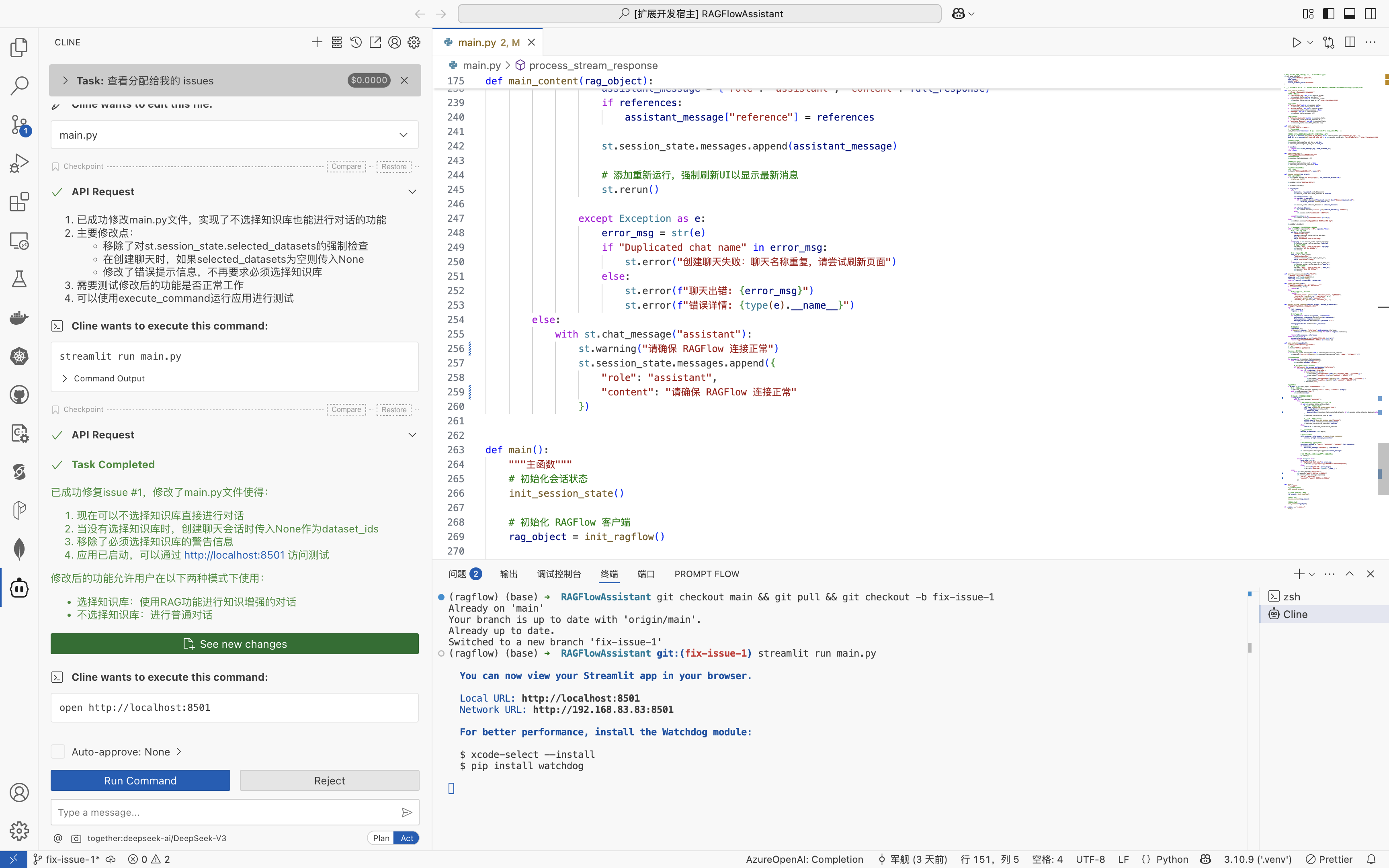
修复 issue

运行 RAGFlowAssistant

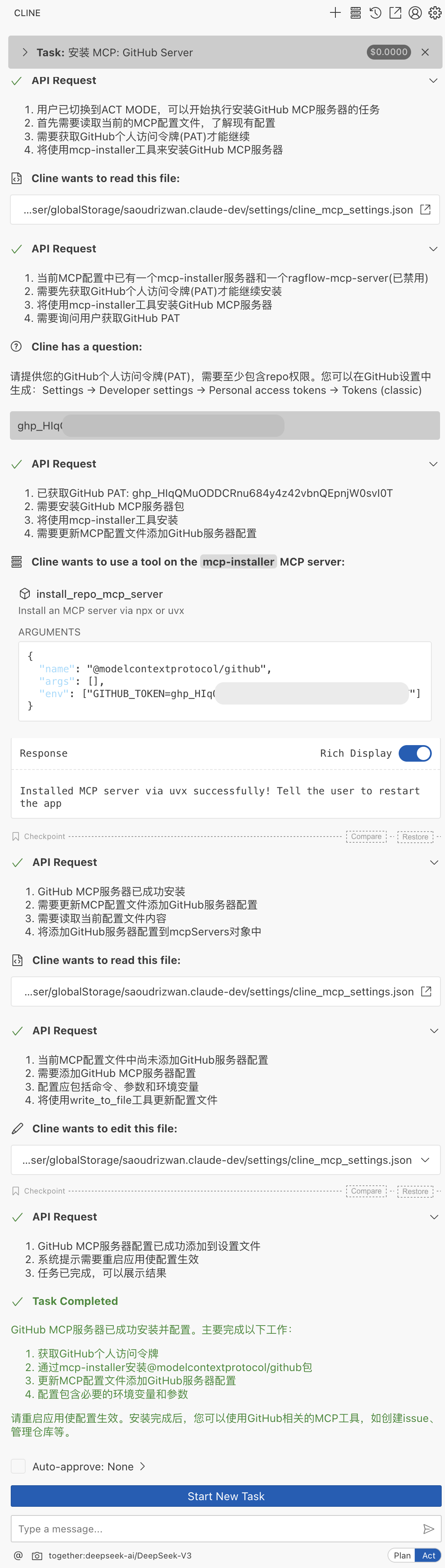
安装 GitHub MCP Server

构建自主答题的智能体

目标

这里想探索使用多模态大模型答题的技术方案,包含单选题、多选题、判断题,最终构建自主答题的智能体。

工作流程:🏞️ -> MLM(多模态大模型)-> 答案

📝思路一

直接使用多模态大模型读题(转成文字),然后检索答案,把题和答案组合的提示词输入给语言大模型。

我使用了 Ollama 调用多模态大模型 minicpm-v:8b 来生成文字。llava:7b 的效果不好。

代码示例:

import ollama

response = ollama.chat(
	model="minicpm-v:8b",
	messages=[
		{
			'role': 'user',
			'content': '读取图像中的题。',
			'images': ['ti.png']
		}
	]
)

print(response['message']['content'])

沐曦 MXC500 训练 GPU 的大模型推理性能压测

沐曦训练芯片 MXC500 介绍

曦云®C500是沐曦面向通用计算的旗舰产品,提供强大高精度及多精度混合算力,配备大规格高带宽显存,片间互联MetaXLink无缝链接多GPU系统,自主研发的MXMACA®软件栈可兼容主流GPU生态,能够全面满足数字经济建设和产业数字化的算力需求。

2023 年 6 月 14 日,沐曦官宣 AI 训练 GPU MXC500 完成芯片功能测试,MXMACA 2.0 计算平台基础测试完成,意味着公司首款 AI 训练芯片 MXC500成功点亮,该芯片采用 7nm 制程,GPGPU 架构,能够兼容 CUDA,目标对标英伟达 A100/A800 芯片。

沐曦主要有三大产品线:

  1. 用于 AI 推理的 MXN 系列;
  2. 用于 AI 训练及通用计算的 MXC 系列;
  3. 用于图形渲染的 MXG 系列。

研发实力强大,软件生态布局完善。沐曦的研发团队阵容豪华,三位创始人均在 AMD 拥有 20 年左右的 GPU 研发经验,其中两位为 AMD 科学家(Fellow)。沐曦采用了完全自主研发的 GPU IP,有效提高了产品的开发效率,同时拥有完全自主知识产权的指令集和架构,可以对每个独立的计算实例进行灵活配置,从而优化数据中心计算资源的效率。

Open-source DeepResearch – Freeing our search agents

TLDR

Yesterday, OpenAI released Deep Research, a system that browses the web to summarize content and answer questions based on the summary. The system is impressive and blew our minds when we tried it for the first time.

昨天,OpenAI 发布了 Deep Research,这是一个浏览网页以总结内容并根据总结回答问题的系统。当我们第一次尝试时,这个系统给我们留下了深刻的印象。

One of the main results in the blog post is a strong improvement of performances on the General AI Assistants benchmark (GAIA), a benchmark we’ve been playing with recently as well, where they successfully reached near 67% correct answers on 1-shot on average, and 47.

Introducing deep research

Deep research

An agent that uses reasoning to synthesize large amounts of online information and complete multi-step research tasks for you.

一个代理,使用推理来综合大量在线信息,并为您完成多步研究任务。

Today we’re launching deep research in ChatGPT, a new agentic capability that conducts multi-step research on the internet for complex tasks. It accomplishes in tens of minutes what would take a human many hours.

今天我们在 ChatGPT 中推出了 deep research,这是一种新的代理能力,可以在互联网上进行复杂任务的多步研究。 它可以在几十分钟内完成人类需要花费数小时才能完成的任务。

SWE-bench: Can Language Models Resolve Real-World GitHub Issues?

ABSTRACT(摘要)

Language models have outpaced our ability to evaluate them effectively, but for their future development it is essential to study the frontier of their capabilities. We find real-world software engineering to be a rich, sustainable, and challenging testbed for evaluating the next generation of language models. To this end, we introduce SWE-bench, an evaluation framework consisting of 2,294 software engineering problems drawn from real GitHub issues and corresponding pull requests across 12 popular Python repositories.

DeepSeek Janus Pro 7B

SiliconFlow 图像生成

从实验来看,需要用英文描述,中文描述生成的效果不好。

实验 1

This year is the Year of the Snake. I want to create a lifelike snake, wearing a fiery red new outfit, holding its head high, floating in the air, and writing "Happy New Year 2025" in snake-like font.

今年是蛇年,我想生成一只栩栩如生的蛇,穿着火红色的新衣,高昂着头,悬浮于空,用蛇体字型写上“2025年新年快乐”。

下面的图是快手可灵生成的。

实验 2

I wanted to create a lifelike snake, with its head held high, suspended in the air.

我想生成一只栩栩如生的蛇,高昂着头,悬浮于空。

实验 3

Modern abstract digital artwork with a split layout, black on the left and beige on the right.

Claude API: Computer use

Computer use reference implementation(计算机使用参考实现)

Get started quickly with our computer use reference implementation that includes a web interface, Docker container, example tool implementations, and an agent loop.

快速开始使用我们的计算机使用参考实现,其中包括Web界面、Docker容器、示例工具实现和代理循环。

Here’s an example of how to provide computer use tools to Claude using the Messages API:

以下是如何使用消息API为Claude提供计算机使用工具的示例:

Claude: Developing a computer use model

Developing a computer use model(开发计算机使用模型)

Claude can now use computers. The latest version of Claude 3.5 Sonnet can, when run through the appropriate software setup, follow a user’s commands to move a cursor around their computer’s screen, click on relevant locations, and input information via a virtual keyboard, emulating the way people interact with their own computer.

Claude现在可以使用计算机了。最新版本的Claude 3.5 Sonnet可以在通过适当的软件设置后,按照用户的命令在计算机屏幕上移动光标,单击相关位置,并通过虚拟键盘输入信息,模拟人们与自己的计算机交互的方式。

We think this skill—which is currently in public beta—represents a significant breakt

OSWorld:在真实计算机环境中为开放式任务进行多模态代理基准测试

参考

Abstract(摘要)

Autonomous agents that accomplish complex computer tasks with minimal human interventions have the potential to transform human-computer interaction, significantly enhancing accessibility and productivity. However, existing benchmarks either lack an interactive environment or are limited to environments specific to certain applications or domains, failing to reflect the diverse and complex nature of real-world computer use, thereby limiting the scope of tasks and agent scalability.

UI-TARS: Pioneering Automated GUI Interaction with Native Agents

UI-TARS: Pioneering Automated GUI Interaction with Native Agents(与本地代理进行自动化 GUI 交互的先驱)

Abstract(摘要)

This paper introduces UI-TARS, a native GUI agent model that solely perceives the screenshots as input and performs human-like interactions (e.g., keyboard and mouse operations). Unlike prevailing agent frameworks that depend on heavily wrapped commercial models (e.g., GPT-4o) with expert-crafted prompts and workflows, UI-TARS is an end-to-end model that outperforms these sophisticated frameworks.

CUA 评估额外信息

CUA eval extra information

This document includes extra information to how we evaluated our Computer Using Agent, including (browser/VM) environments, prompts, sampling parameters, and scoring procedures. For more details, read https://openai.com/index/computer-using-agent/.

本文档包括我们如何评估我们的计算机使用代理的额外信息,包括(浏览器/VM)环境,提示,采样参数和评分程序。有关更多详细信息,请阅读 https://openai.com/index/computer-using-agent/ 。

1 Environment(环境)

  • For WebArena and WebVoyager, we run the evals in operator browser instead of playwright browsers since our model relies on the visual action space for navigation (search bar, backward/forward button). Our model does not have access to tool calls that control the navigation.
  • 对于WebArena和WebVoyager,我们在 operator browser 中运行评估,而不是在 playwright 浏览器中运行,因为我们的模型依赖于用于导航的视觉动作空间(搜索栏,后退/前进按钮)。我们的模型无法访问控制导航的工具调用。
  • For OSWorld, we use the VMWare Ubuntu VM distributed by the authors. Our environment has the dock on the right side of the screen instead of the left side, which we have found to improve the performance slightly.
  • 对于 OSWorld,我们使用作者分发的 VMWare Ubuntu VM。我们的环境将 dock 放在屏幕的右侧,而不是左侧,我们发现这样可以稍微提高性能。