5 篇文章带有标签 “ai-gateway”

LiteLLM 代理实践:安装、配置与测试
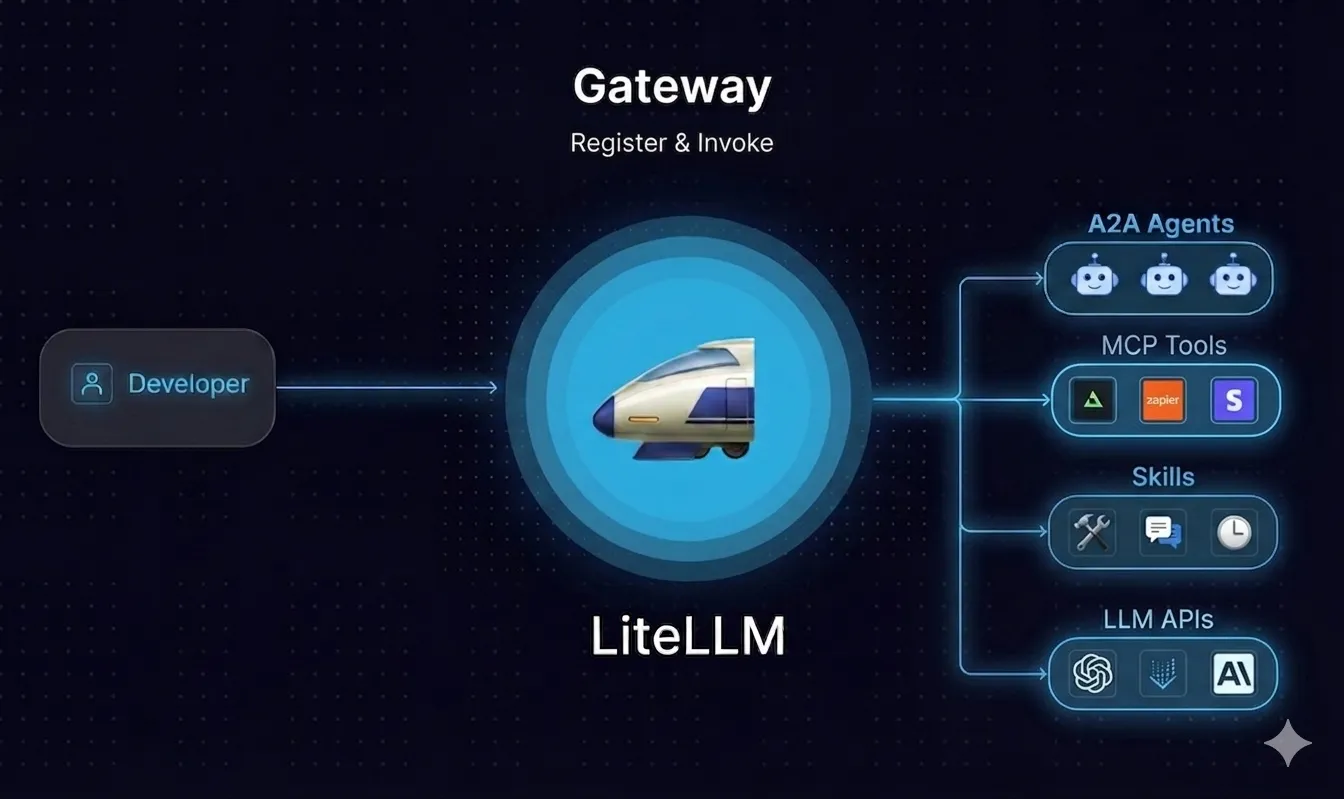
安装

uv tool install 'litellm[proxy]'

配置

编写配置文件:config.yaml

model_list:
  - model_name: gpt-5
    litellm_params:
      model: openai/LongCat-2.0-Preview
      api_base: https://api.longcat.chat/openai/
      api_key: sk-xxx
  - model_name: gpt-5-nano
    litellm_params:
      model: openai/qwen3.5:9b
      api_base: http://localhost:11434/v1
      api_key: none

运行

litellm --config config.yaml

测试

⚠️ 通过测试说明 LiteLLM 代理只支持中转,上游没有提供对应的API支持(LongCat 只支持 Chat Completions),LiteLLM 也不支持。
CodeGate - 让 AI 编码助手更安全

什么是 CodeGate

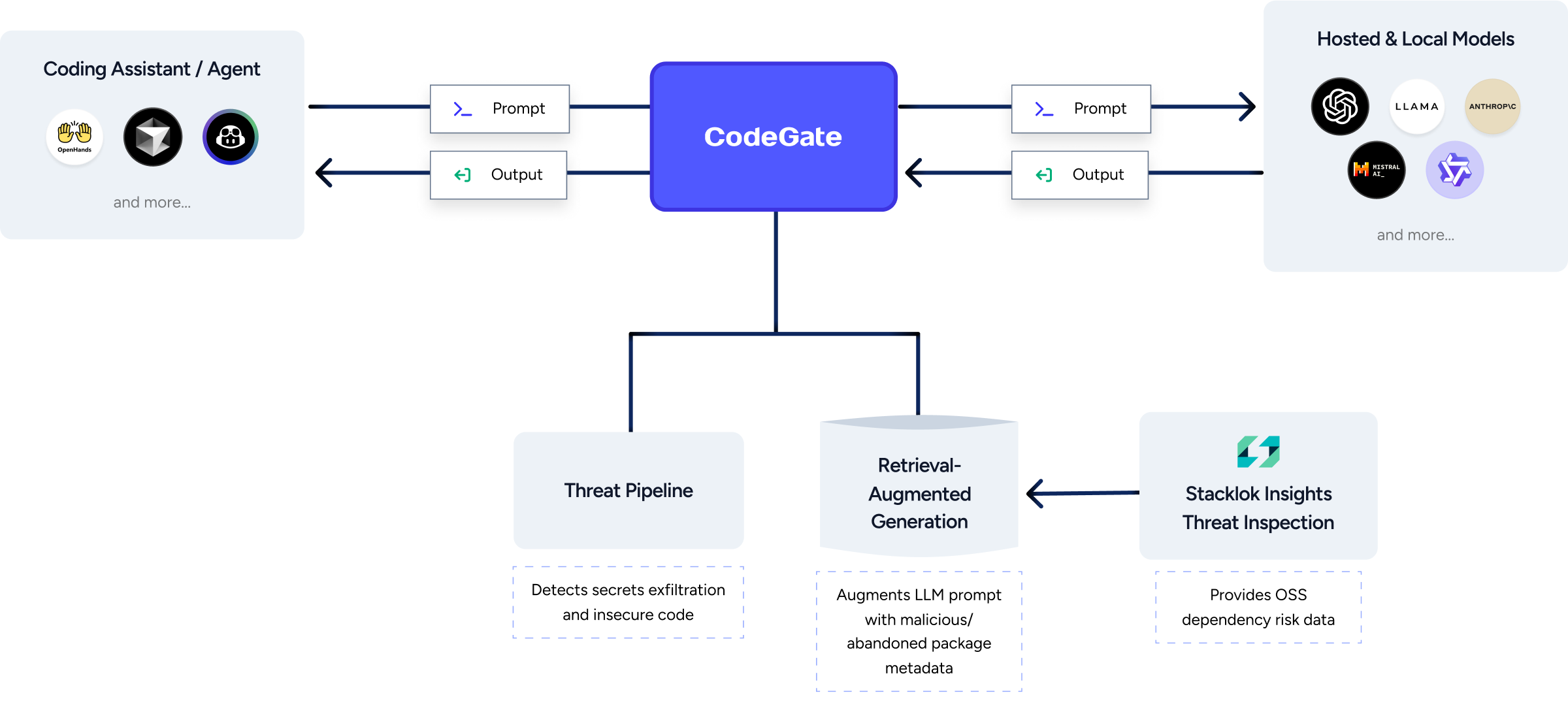
CodeGate 是位于 AI 编码助手和 LLM 之间的本地提示网关,用于增强隐私和安全性。

  • 执行代码安全审查
  • 识别包依赖项中的漏洞
  • 防止敏感数据(如机密)与 AI 模型共享

工作原理

CodeGate 是位于 AI 编码助手和 LLM 之间的本地代理。CodeGate 会审查您的提示是否存在任何潜在的机密泄露 — 在机密离开您的桌面之前对其进行加密,并在响应中对其进行解密。CodeGate 使用 RAG 来更新任何 LLM 的知识库,并提供相关的风险洞察。

Continue 指南

启动 CodeGate 服务

docker pull ghcr.io/stacklok/codegate:latest
docker run --name codegate -d -p 8989:8989 -p 9090:9090 --restart unless-stopped ghcr.io/stacklok/codegate:latest

下载 Ollama 代码模型

ollama pull qwen2.5-coder:7b
ollama pull qwen2.5-coder:1.5b

配置 Continue 扩展

编辑配置文件:~/.continue/config.json

LiteLLM: [Python SDK] [Proxy Server (LLM Gateway)]

LiteLLM Proxy Server (LLM Gateway)

安装

pip install 'litellm[proxy]'

编辑配置文件:config.yaml

model_list:
  - model_name: qwen-coder
    litellm_params:
      model: ollama/qwen2.5-coder:7b
  - model_name: bge-m3
    litellm_params:
      model: ollama/bge-m3
  - model_name: llava
    litellm_params:
      model: ollama/llava:7b
      api_base: "http://localhost:11434"
      # api_base: http://127.0.0.1:11434/v1 # ❌ 500 Internal Server Error
  - model_name: gpt-4
    litellm_params:
      model: openai/gpt-4-32k
// ...

命令部署 # 集成 Langfuse LANGFUSE_PUBLIC_KEY=pk-lf-fd5d8fb

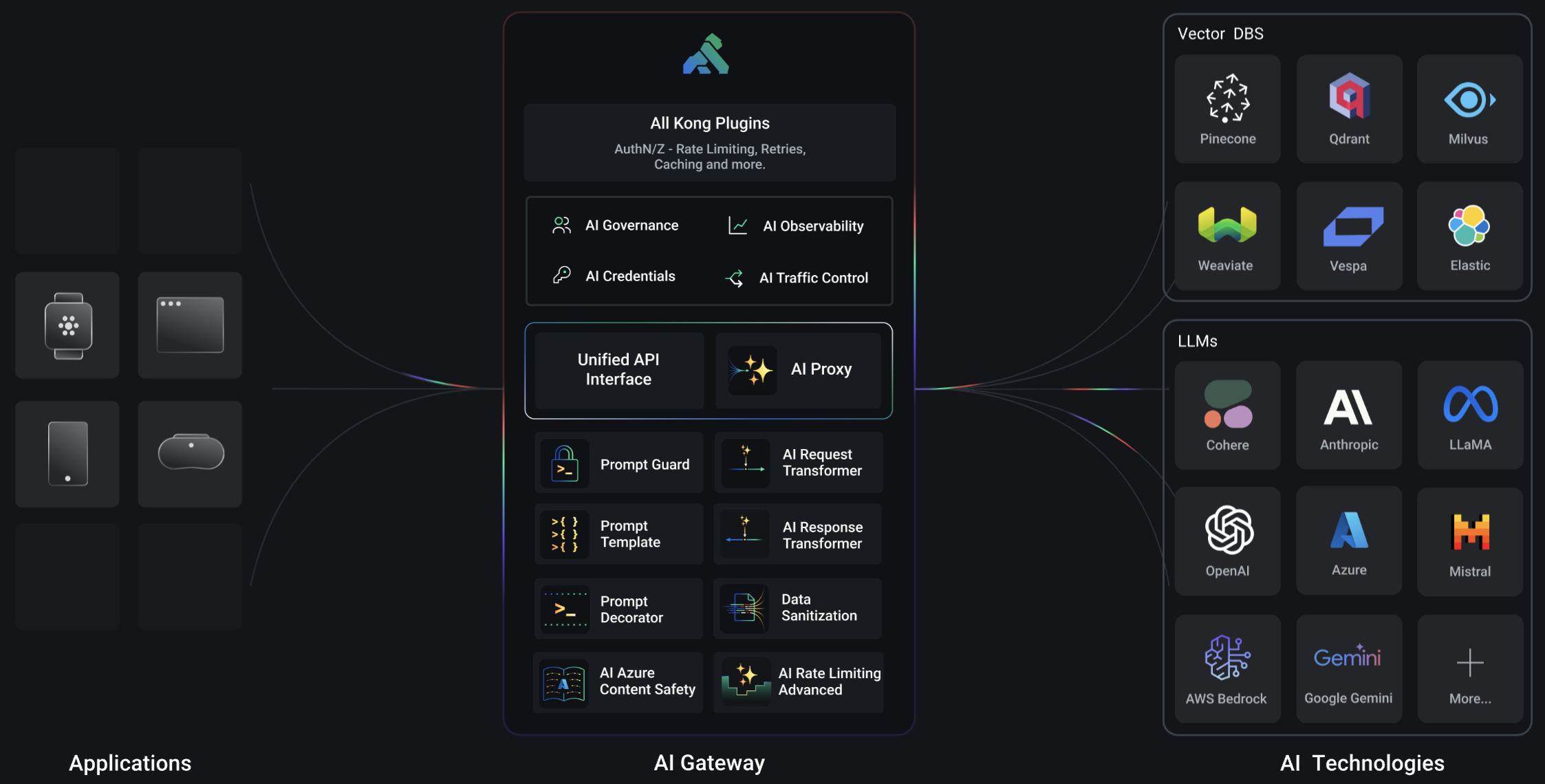
Kong AI Gateway

Kong

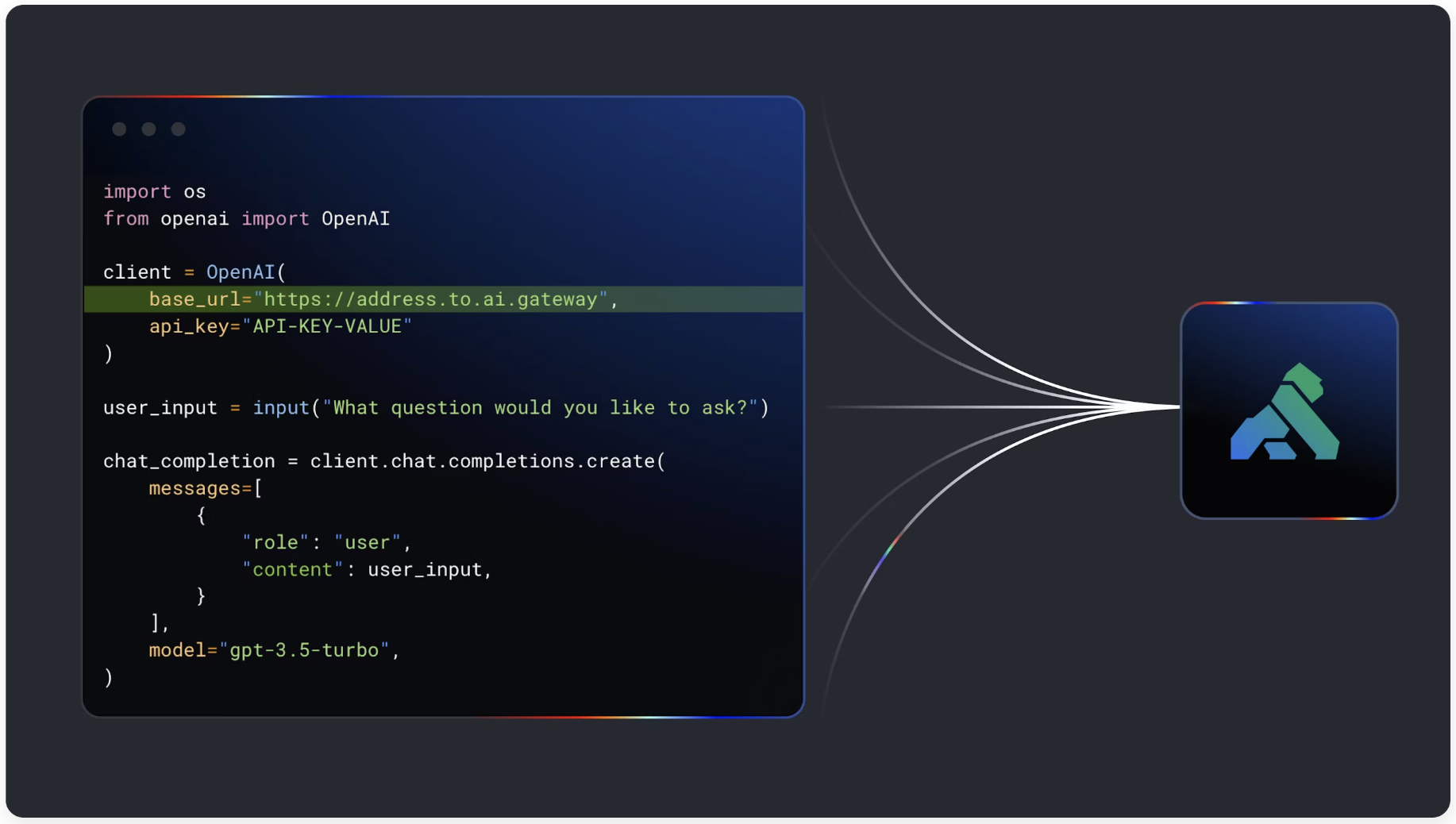
更快地构建生产就绪的 AI 应用程序(对于开发人员)

通过简单更改一行代码,使用现代基础设施构建具有多 LLM 支持和路由、高级 AI 负载均衡、LLM 可观察性、LLM 安全性和治理等功能的语义智能 AI 应用程序。

将语义智能注入到您的 AI 应用程序中(对于平台团队)

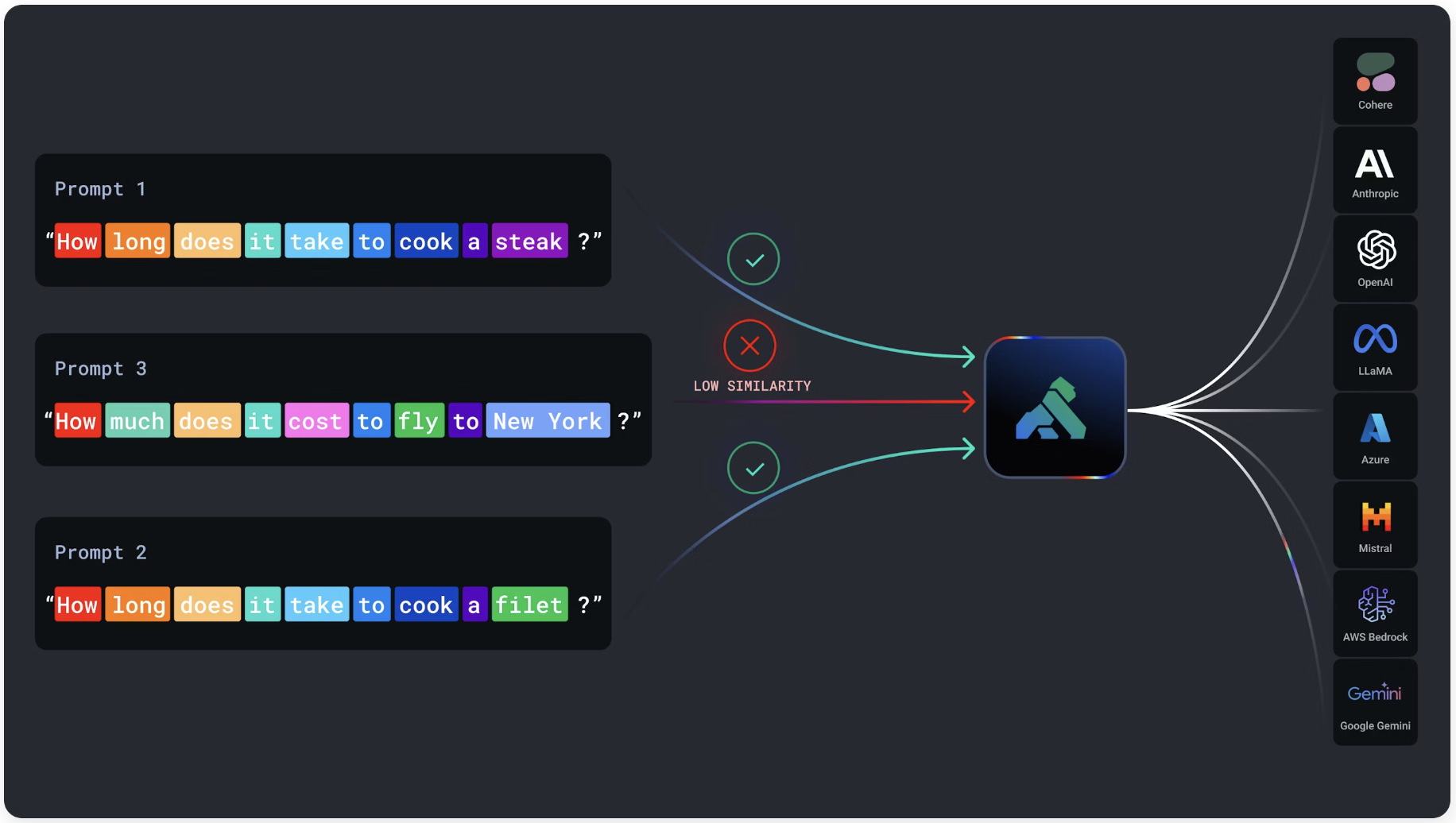
通过语义缓存加速每个 AI 应用程序,通过语义路由智能地跨多个模型路由,构建高级提示模板,检测和防止滥用,以及 AI 可观察性。

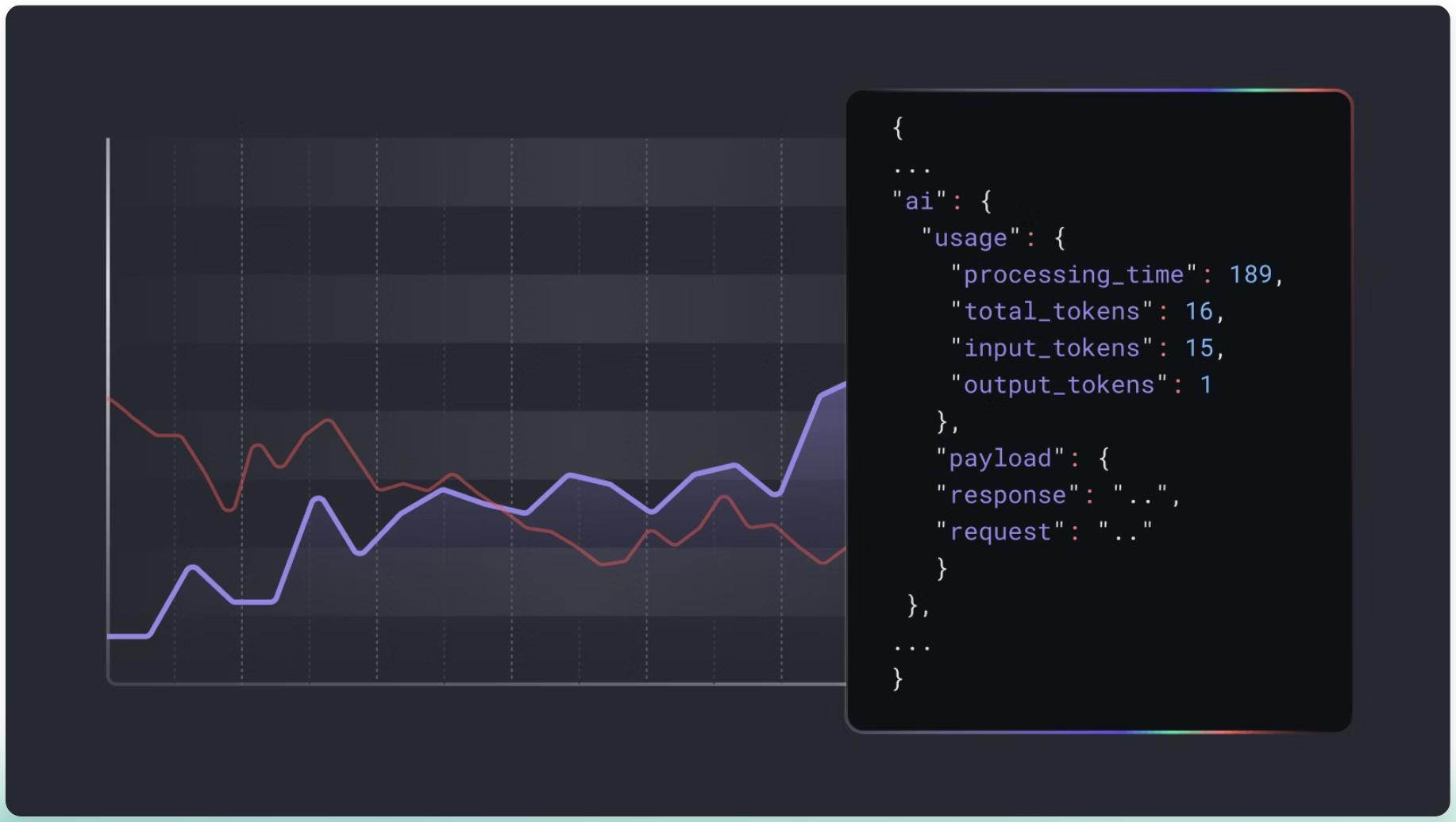
AI 流量的 L7 可观察性,用于成本监控和调优(AI 指标和可观察性)

获取应用程序发送的每个 AI 请求的见解,并捕获详细信息以了解和优化您的 AI 使用和成本,支持 10 多个日志摄取器。

安装(Docker)

PostgreSQL docker run -d --name kong-database \ -p 5432:5432 \ -e "POSTGRES_USER=kong" \ -e "POSTGRES_DB=kong" \ -e &q