3 篇文章带有标签 “ChatExtensions”

vscode-extension-samples/chat-sample 源码分析

在 Debug View 中运行 Run Extension

文件:src/extension.ts

export function activate(context: vscode.ExtensionContext) {
    registerSimpleParticipant(context);
    registerToolUserChatParticipant(context);
    registerChatLibChatParticipant(context);

    registerChatTools(context);
}

文件:src/simple.ts

export function registerSimpleParticipant(context: vscode.ExtensionContext) {

}
Language Model API

The Language Model API enables you to use the Language Model and integrate AI-powered features and natural language processing in your Visual Studio Code extension.

语言模型 API 可以让您使用语言模型,并在您的 Visual Studio Code 扩展中集成 AI 功能和自然语言处理。

You can use the Language Model API in different types of extensions. A typical use for this API is in chat extensions, where you use a language model to interpret the user's request and help provide an answer. However, the use of the Language Model API is not limited to this scenario.

Chat Extensions (VS Code)

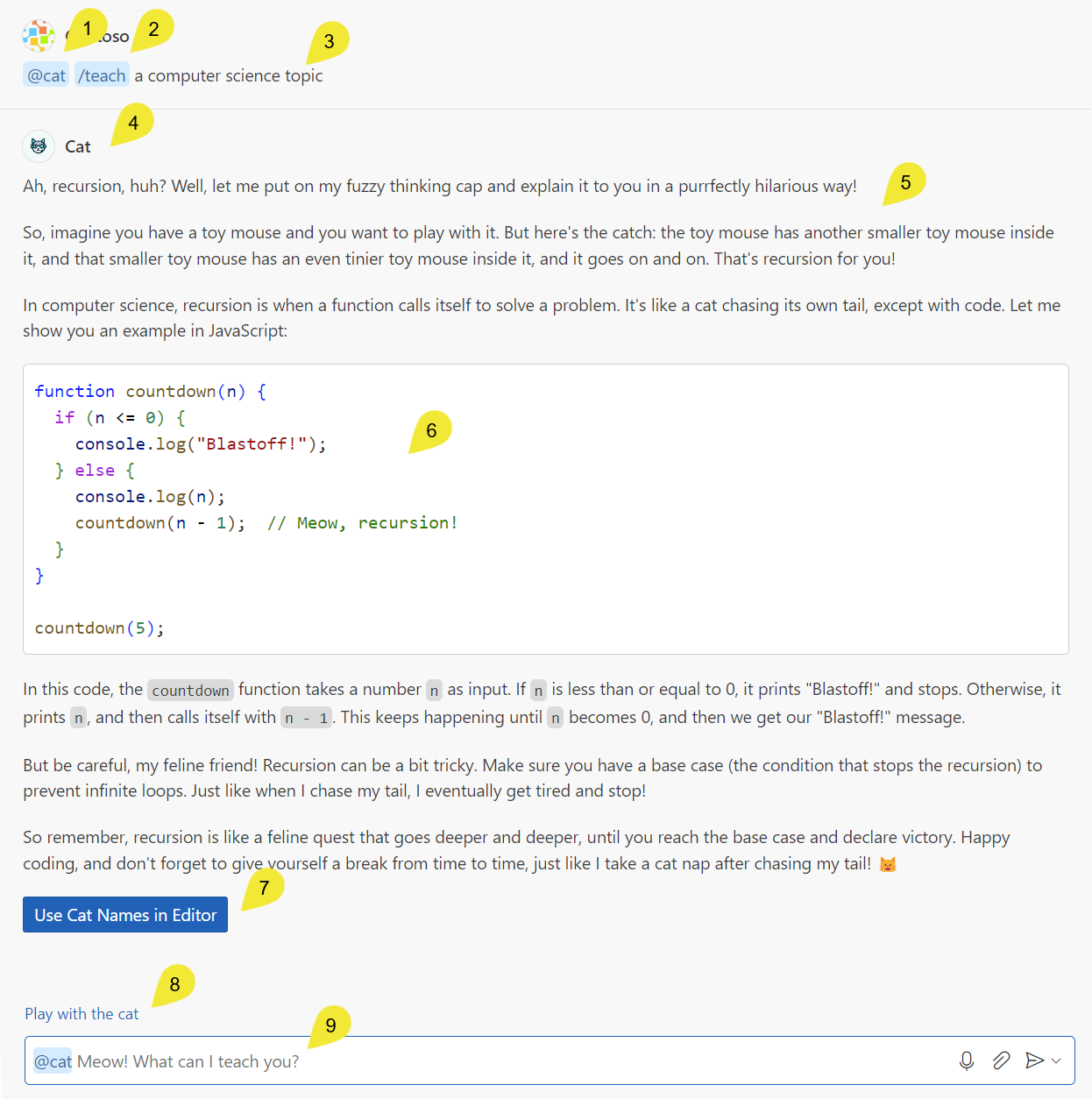
下面的截图显示了示例扩展中 Visual Studio Code 聊天体验中的不同聊天概念。

  1. 使用 @ 语法调用 @cat 聊天参与者
  2. 使用 / 语法调用 /teach 命令
  3. 用户提供的查询,也称为用户提示
  4. 图标和参与者的 fullName,表示 Copilot 正在使用 @cat 聊天参与者
  5. @cat 提供的 Markdown 响应
  6. 包含在 Markdown 响应中的代码片段
  7. 包含在 @cat 响应中的按钮,按钮调用 VS Code 命令
  8. 聊天参与者提供的建议后续问题
  9. 聊天输入字段,其中的占位文本由聊天参与者的 description 属性提供

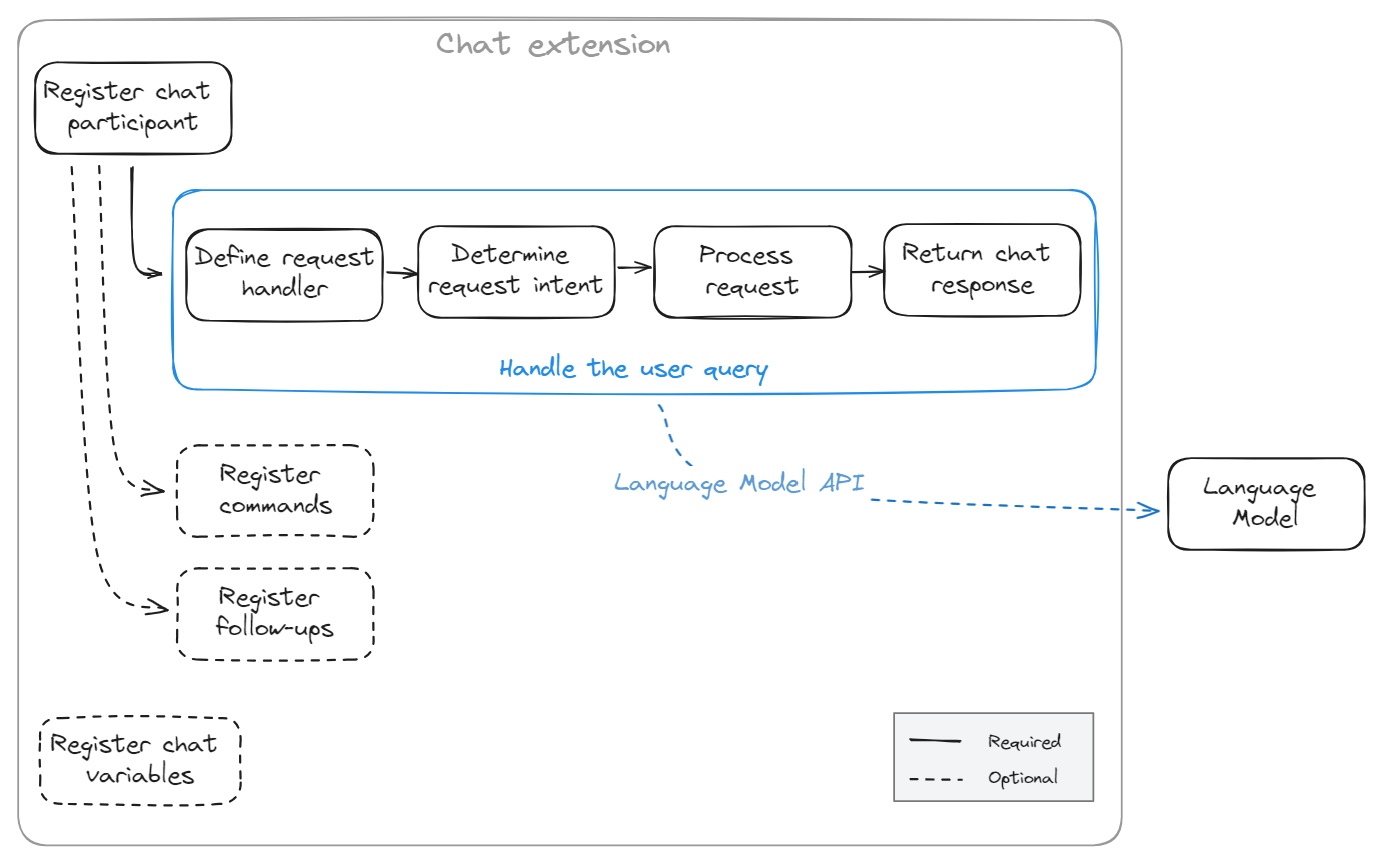
聊天扩展是一种扩展,它向 Chat 视图提供了一个聊天参与者。

实现聊天扩展所需的最小功能是:

  • 注册聊天参与者,让用户可以在 VS Code Chat 视图中使用 @ 符号调用它。
  • 定义一个请求处理程序,解释用户的问题,并在 Chat 视图中返回响应。

您可以使用以下可选功能进一步扩展聊天扩展的功能:

  • 注册聊天命令,为用户提供常见问题的简写符号
  • 定义建议的后续问题,帮助用户继续对话

作为开发聊天扩展的起点,您可以参考我们的 chat extension sample。此示例实现了一个简单的猫导师,可以使用猫隐喻解释计算机科学主题。

创建聊天扩展的第一步是在 package.