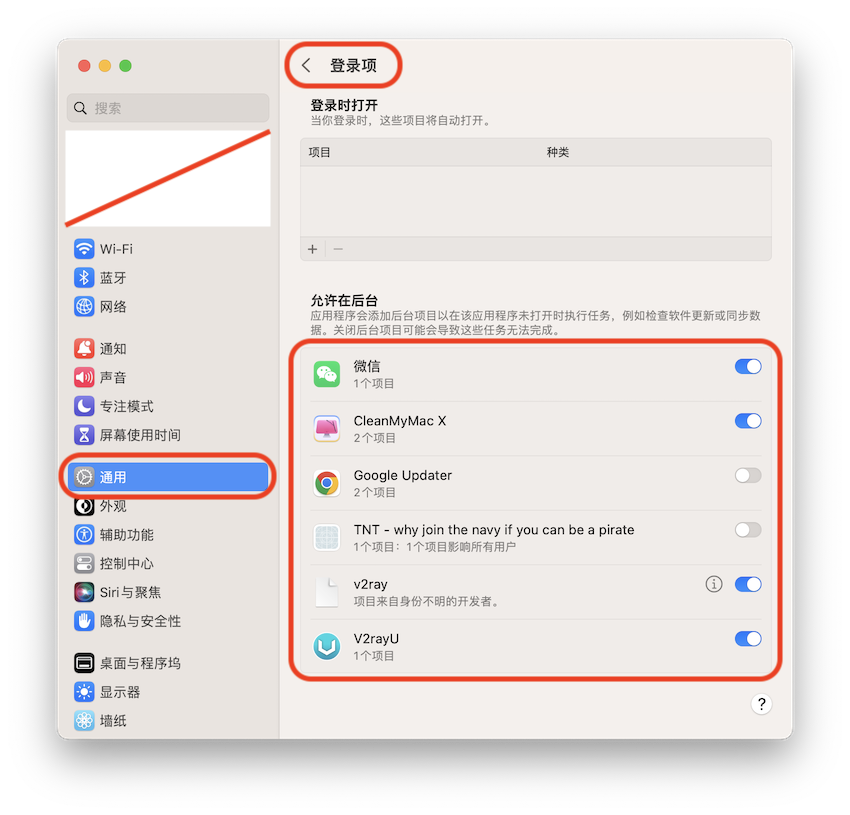
launchd
一个统一的开源服务管理框架,用于启动、停止和管理守护进程、应用程序、进程和脚本。由 Apple 的 Dave Zarzycki 编写和设计,它随 Mac OS X Tiger 引入并获得许可Apache 许可证。
Daemon vs Agent
launchd 区分代理和守护进程。主要区别在于,代理代表登录用户运行,而守护进程代表根用户或您使用 UserName 键指定的任何用户运行。只有代理可以访问 macOS GUI。
Job
根据它的存储位置,它将被视为守护进程或代理。
对操作系统操作至关重要的作业定义存储在 /System/Library 下。您永远不需要在这些目录中创建守护进程或代理。与每个用户相关的第三方定义存储在 /Library 下。特定用户的作业定义存储在相应用户的 Library 目录下。
| Type | Location | Run on behalf of |
|---|---|---|
| User Agents | ~/Library/LaunchAgents | Currently logged in user |
| Global Agents | /Library/LaunchAgents | Currently logged in user |
| Global Daemons | /Library/LaunchDaemons | root or the user specified with the key UserName |
| System Agents | /System/Library/LaunchAgents | Currently logged in user |
| System Daemons | /System/Library/LaunchDaemons | root or the user specified with the key UserName |
find 操作
显示 plist 文件
sudo find ~/Library/LaunchAgents \
    /Library/LaunchAgents \
    /Library/LaunchDaemons \
    -type f
文件名字进行过滤
sudo find ~/Library/LaunchAgents \
    /Library/LaunchAgents \
    /Library/LaunchDaemons \
    -type f \
    -name '*Clean*'
删除文件
sudo find ~/Library/LaunchAgents \
    /Library/LaunchAgents \
    /Library/LaunchDaemons \
    -type f \
    -name '*Clean*' \
    -delete
参考资料
相关文章
macOS实践
macOS使用技巧汇总,包含常用快捷键、终端命令、Finder实用技巧和推荐工具,帮助提升Mac使用效率。
阅读 →