← 返回幻灯片列表
Embedding 模型
Embedding 模型
◆
说明
- 📝 - arXiv
- 😺 - GitHub
- 🤗 - Hugging Face
◆
Embedding 概述
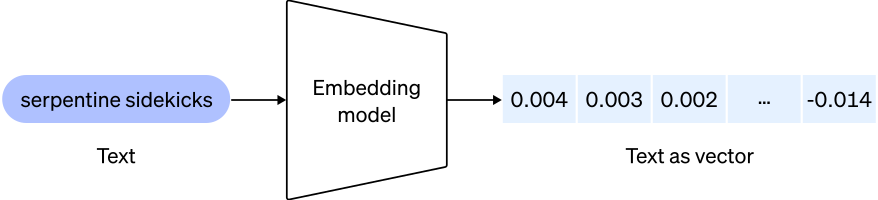
嵌入是将概念转换为数字序列的数值表示,这使得计算机能够轻松理解这些概念之间的关系。文本嵌入衡量文本字符串的相关性。将任意文本映射为低维稠密向量,可以用于检索、排序、分类、聚类或语义匹配等任务。
◆
Embedding 的应用
- 搜索(结果按与查询字符串的相关性排名)
- 聚类(文本字符串按相似性分组)
- 推荐(推荐具有相关文本字符串的项目)
- 异常检测(识别出相关性很小的异常值)
- 多样性测量(分析相似性分布)
- 分类(文本字符串按最相似的标签进行分类)
◆
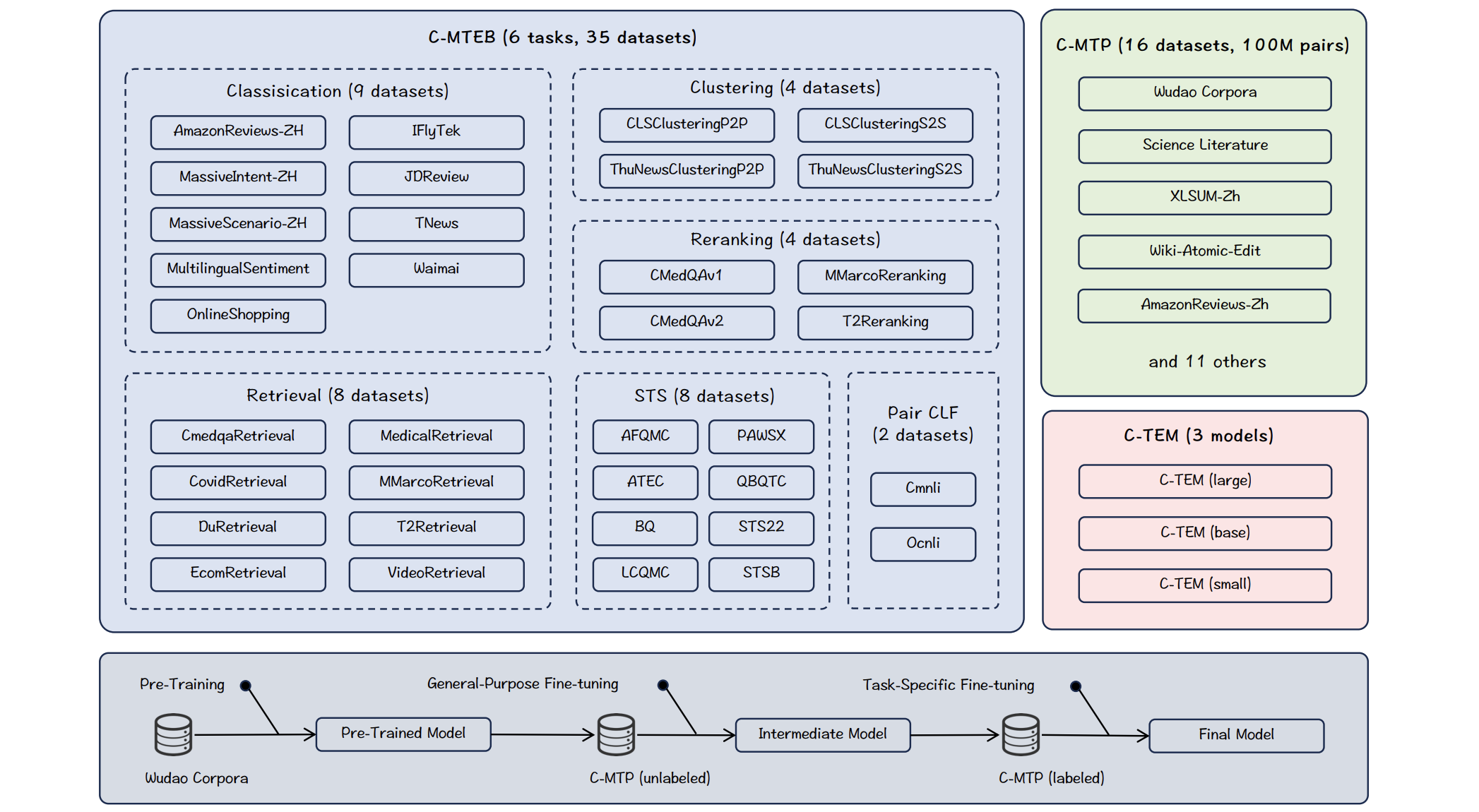
中文 Embedding 模型
| Model | Model Size (GB) | Embedding Dimensions | Sequence Length |
|---|---|---|---|
| [infgrad/stella-base-zh-v2][stella-base-zh-v2] | 0.21 | 768 | 1024 |
| [sensenova/piccolo-large-zh][piccolo-large-zh] | 0.65 | 1024 | 512 |
| [BAAI/bge-base-zh-v1.5][bge-base-zh-v1.5] | 1.1 | 768 | 512 |
| [moka-ai/m3e-base][m3e-base] | 0.41 | 768 | 512 |
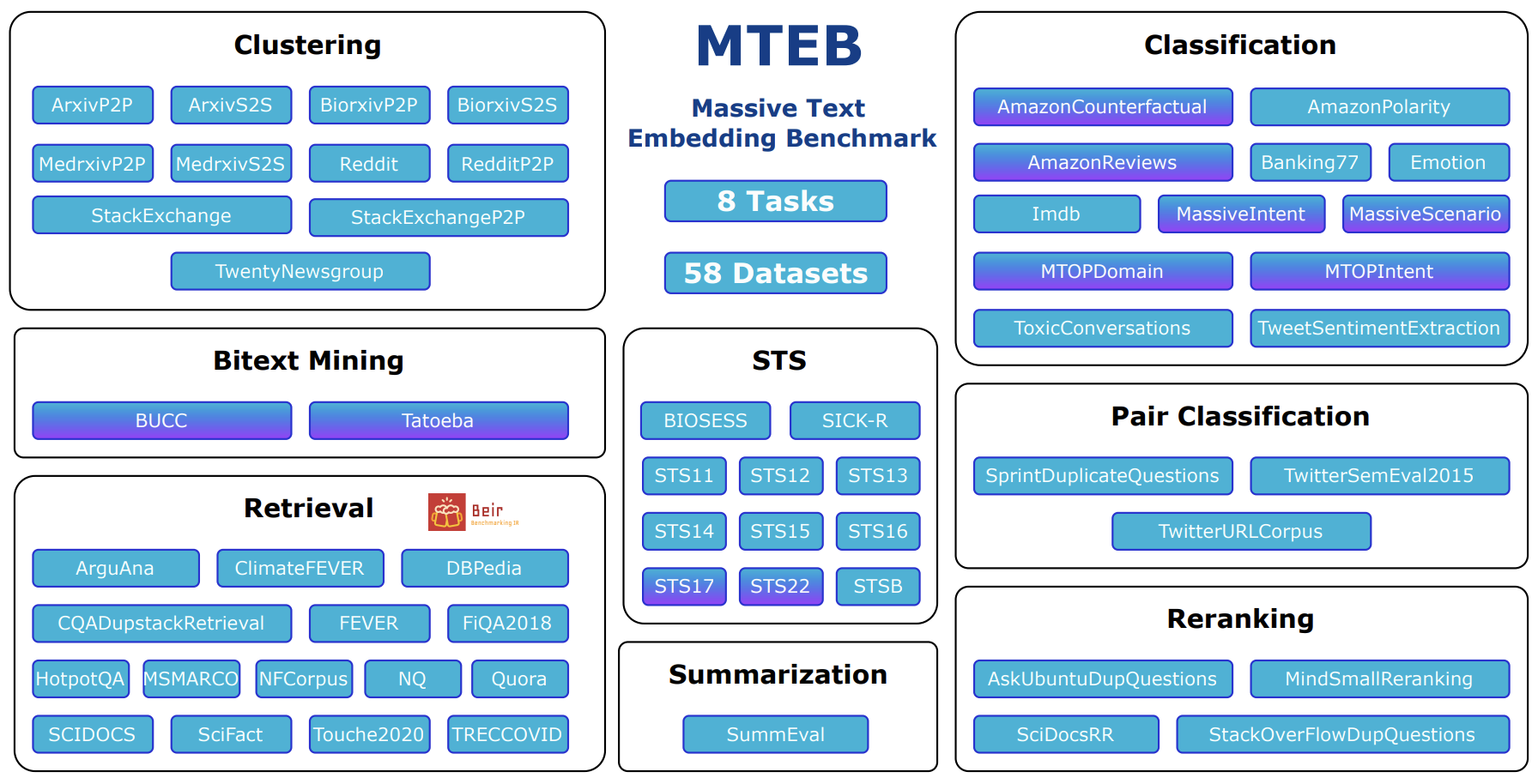
🥇 MTEB 排行榜提供了各种任务中最佳文本嵌入模型的整体概览,可以帮助您找到适合各种任务的最佳嵌入模型!
◆
MTEB Leaderboard(排行榜)
◆
LangChain 调用 HuggingFace
模型文件中【有】 modules.json
from langchain.embeddings import HuggingFaceEmbeddings
embeddings = HuggingFaceEmbeddings(model_name='BAAI/bge-base-zh',
                                   cache_folder='models/embeddings/',
                                   encode_kwargs={'normalize_embeddings': True})
模型文件中【没有】 modules.json
❶ 下载 需要先下载模型文件,然后再使用本地缓存加载模型,这样才能不依赖网络。
HuggingFaceEmbeddings(model_name='infgrad/stella-base-zh-v2', cache_folder='models/embeddings/')
❷ 使用
from langchain.embeddings import HuggingFaceEmbeddings
embeddings = HuggingFaceEmbeddings(model_name='models/embeddings/infgrad_stella-base-zh-v2',
                                   encode_kwargs={'normalize_embeddings': True})
◆
文字图片 Embedding 模型
openai/clip-vit-base-patch32
from transformers import CLIPProcessor, CLIPModel

model = CLIPModel.from_pretrained("openai/clip-vit-base-patch32", cache_dir='cache', local_files_only=True)
processor = CLIPProcessor.from_pretrained("openai/clip-vit-base-patch32", cache_dir='cache', local_files_only=True)

def get_image_features(image_path: str):
    image = Image.open(image_path).convert("RGB")
    inputs = processor(images=image, return_tensors="pt", padding=True, truncation=True)
    features = model.get_image_features(**inputs)
    features = features / features.norm(dim=-1, keepdim=True)
    return features.tolist()[0]

def get_text_features(text: str):
    inputs = processor(text=text, return_tensors="pt", padding=True)
    features = model.get_text_features(**inputs)
    features /= features.norm(dim=-1, keepdim=True)
    return features.tolist()[0]
◆
中文图片 Embedding 模型
OFA-Sys/chinese-clip-vit-base-patch16
from transformers import ChineseCLIPProcessor, ChineseCLIPModel

model = ChineseCLIPModel.from_pretrained(
    "OFA-Sys/chinese-clip-vit-base-patch16",
    cache_dir='cache',
    local_files_only=True)
processor = ChineseCLIPProcessor.from_pretrained(
    "OFA-Sys/chinese-clip-vit-base-patch16",
    cache_dir='cache',
    local_files_only=True)
◆
◆
◆
◆
◆
◆