什么是 Claude Code
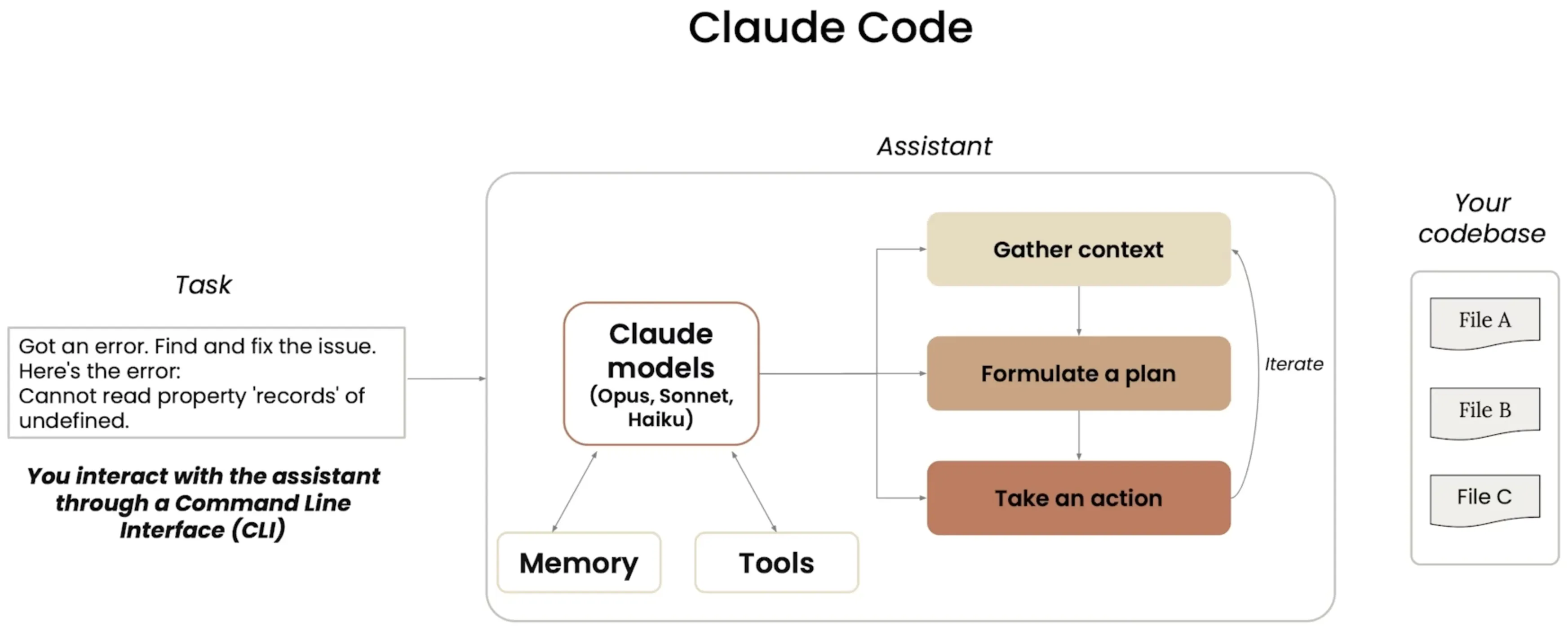
应用于软件开发的各个阶段
| 1. 探索 (Discover) | 2. 设计 (Design) | 3. 构建 (Build) | 4. 部署 (Deploy) | 5. 维护与扩展 (Support & Scale) |
|---|---|---|---|---|
| 探索代码库与历史 (Explore codebase and history) | 规划项目 (Plan project) | 实现代码 (Implement code) | 自动化 CI/CD (Automate CI/CD) | 调试错误 (Debug errors) |
| 搜索文档 (Search documentation) | 制定技术规范 (Develop tech specs) | 编写并执行测试 (Write and execute tests) | 配置环境 (Configure environments) | 大规模重构 (Large-scale refactor) |
| 入职与环境配置 (Onboard & Setup) | 定义架构 (Define architecture) | 创建提交与 PR (Create commits and PRs) | 管理部署 (Manage deployments) | 监控使用情况与性能 (Monitor usage & performance) |
工具使用
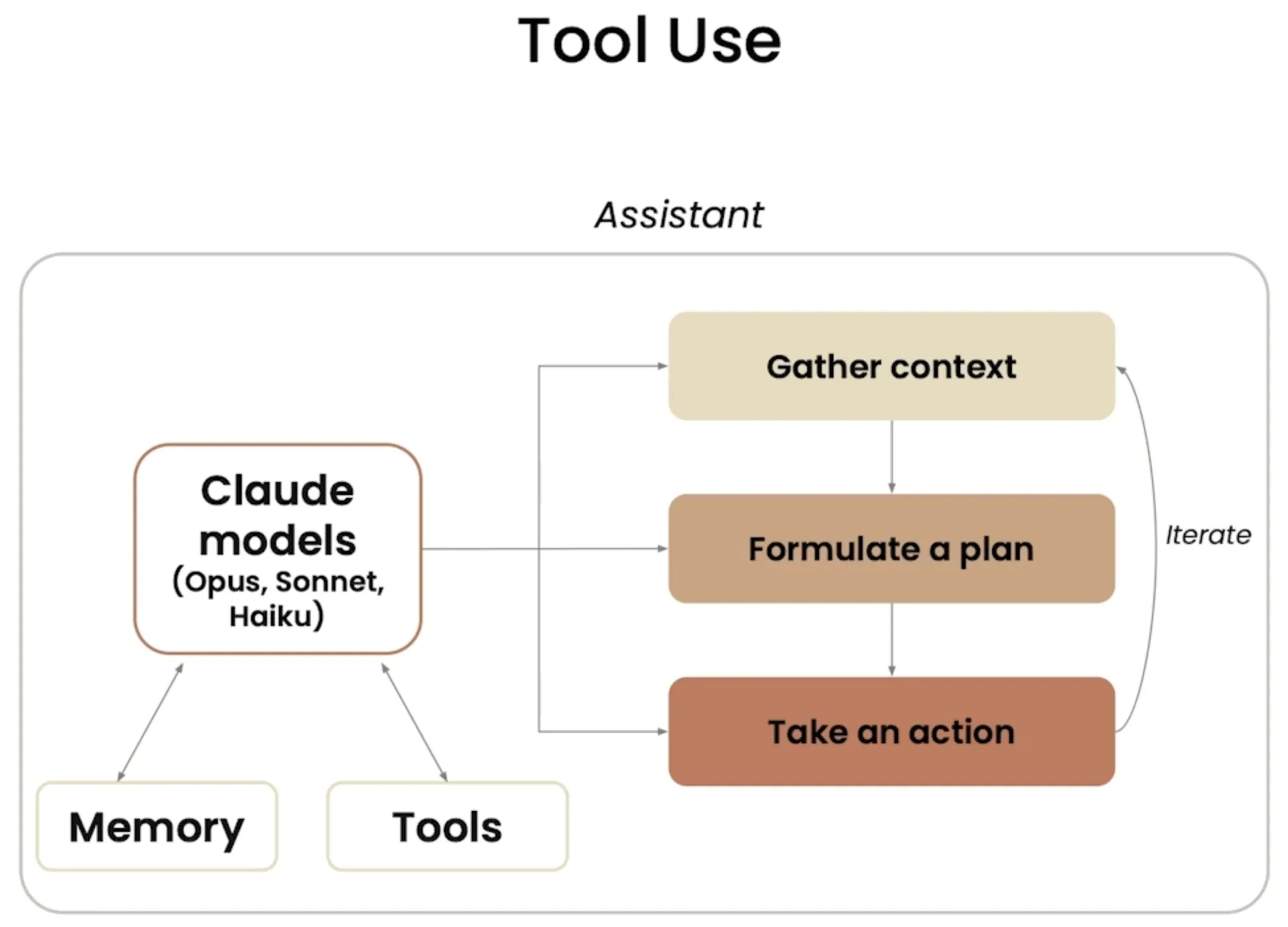
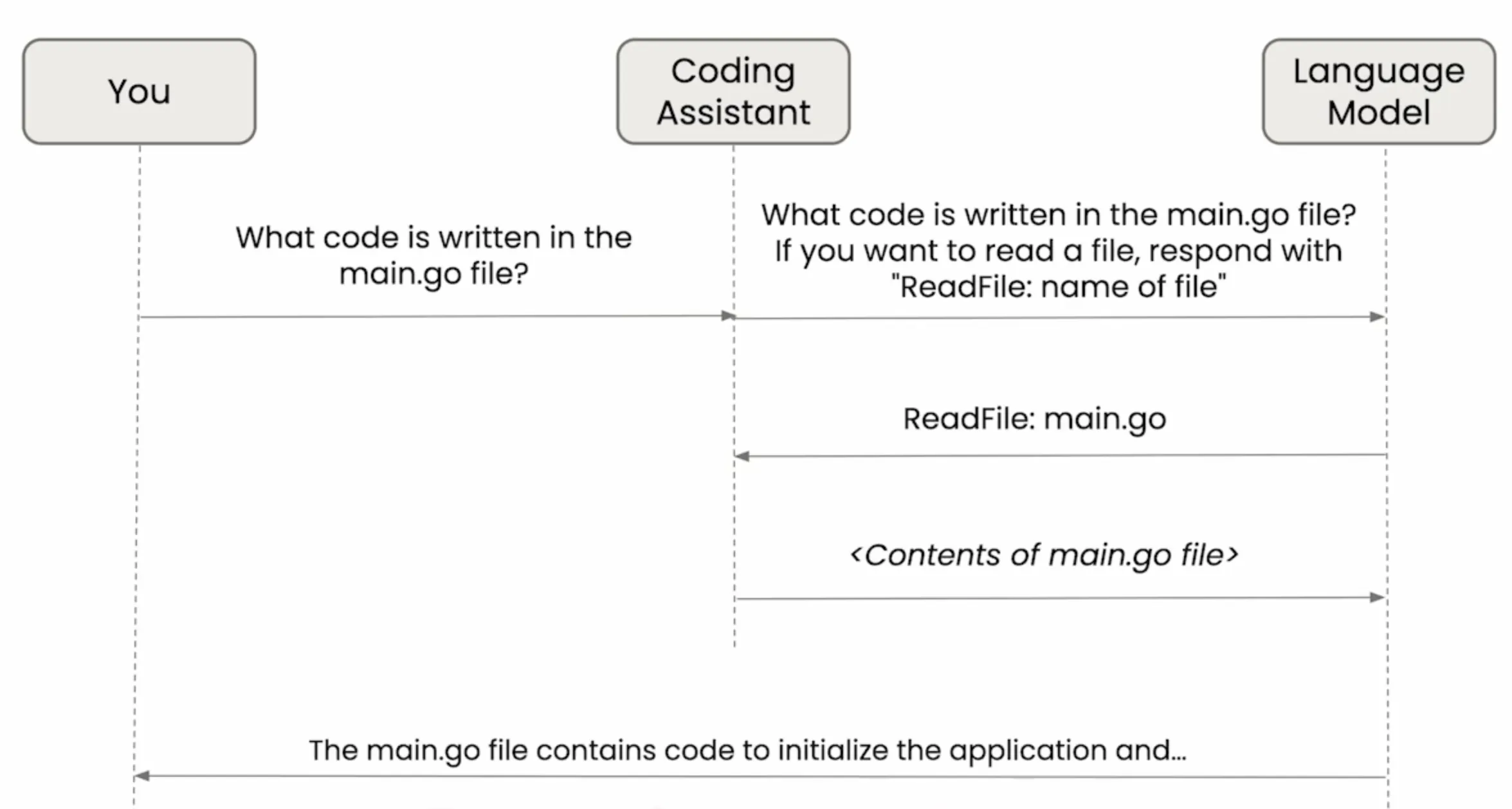
内置工具列表
| 名称 (Name) | 用途 (Purpose) |
|---|---|
| Bash | 运行 Shell 命令 (Run a shell command) |
| Edit | 编辑文件 (Edit a file) |
| Glob | 根据模式匹配查找文件 (Find files based upon a pattern) |
| Grep | 在文件内容中搜索特定模式 (Search for patterns in file contents) |
| LS | 列出文件和目录 (List files and directories) |
| MultiEdit | 同时进行多次编辑 (Make several edits at the same time) |
| NotebookEdit | 修改 Jupyter Notebook 单元格 (Modify Jupyter notebook cells) |
| NotebookRead | 读取并显示 Jupyter Notebook 单元格 (Read and display Jupyter notebook cells) |
| Read | 读取文件 (Read a file) |
| Task | 运行子智能体以处理复杂的、多步骤的任务 (Runs a sub-agent to handle complex multi-step tasks) |
| TodoWrite | 创建并管理结构化的任务列表 (Creates and manages structured task lists) |
| WebFetch | 从 URL 获取内容 (Fetch content from a URL) |
| WebSearch | 搜索网络 (Search the web) |
| Write | 创建或覆盖文件 (Create or overwrite files) |
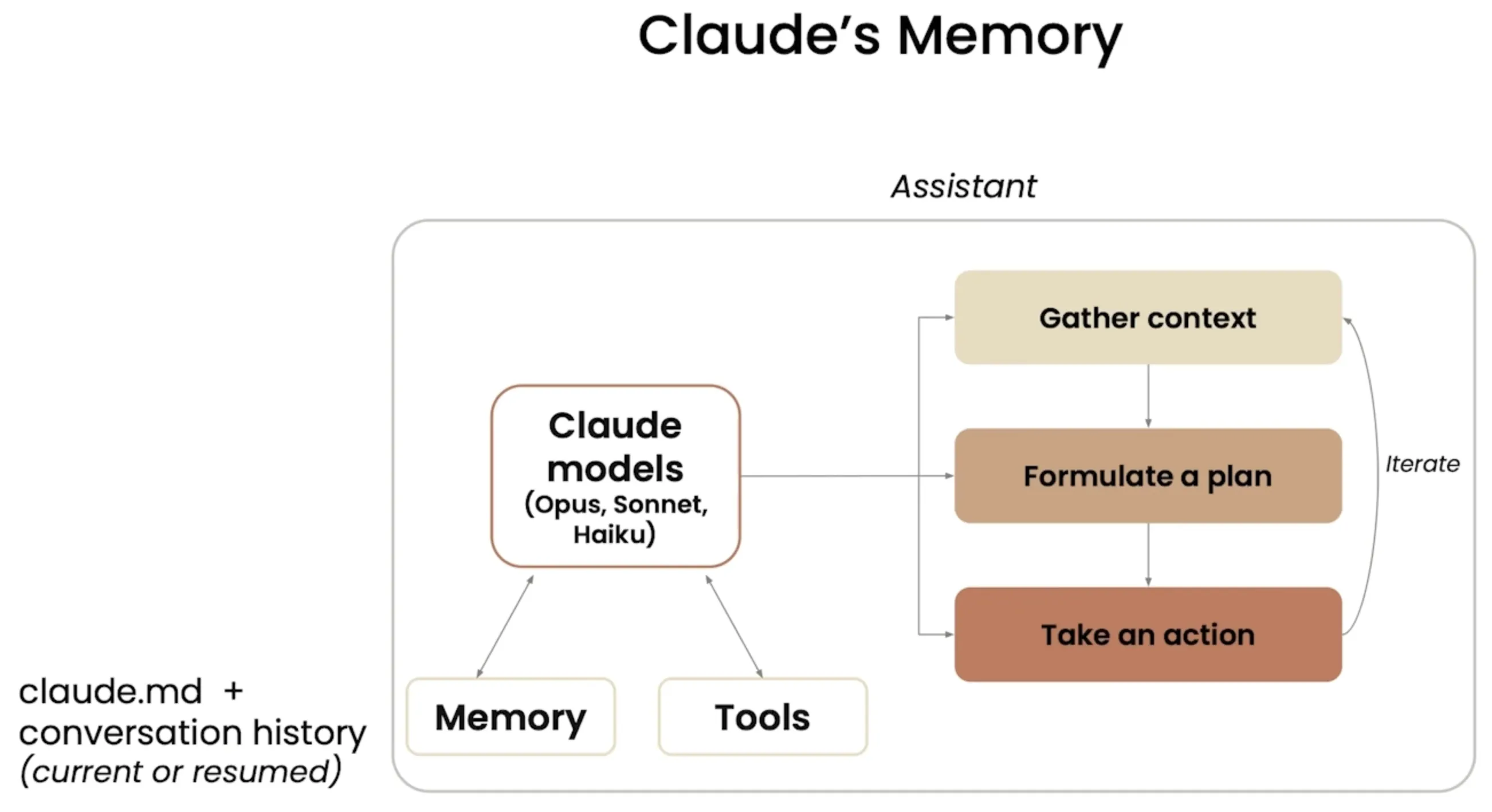
记忆(Memory)
-
跨会话记忆 (claude.md):
- 在
claude.md文件中,您可以定义自己的代码风格指南和常用命令。 - 您将了解到更多关于
claude.md文件不同存储位置的信息。 claude.md文件在启动时会被自动加载到 Claude Code 的上下文环境中。
- 在
-
对话历史记录 (Conversation history):
- 对话历史记录会自动保存在您本地的电脑上。
- 您可以选择清除当前会话的对话内容。
- 您可以选择在未来的会话中恢复之前的对话。
- 过去的对话不会自动包含在上下文环境中。您需要手动要求 Claude Code 继续之前的对话。
设置和代码库理解
探索代码库的方法
give me an overview of the codebase
给我这个代码库的概览
how are these documents processed
这些文档是如何处理的
trace the process of handling a user's query from frontend to backend
追踪处理用户查询的过程,从前端到后端
draw a diagram that illustrates this flow
画一个图表来说明这个流程
CLAUDE.md 文件
三种常见位置
-
CLAUDE.md
- 通过
/init命令生成 - 提交至源码控制(如 Git)
- 与其他工程师共享
- 位置:项目根目录
- 通过
-
CLAUDE.local.md
- 不与其他工程师共享
- 包含您个人对 Claude 的指令和自定义配置
- 位置:项目根目录
-
~/.claude/CLAUDE.md
- 适用于您电脑上的所有项目
- 包含您希望 Claude 在所有项目中都遵守的通用指令
- 位置:存储在用户主目录(
~)下的.claude文件夹中
增加 MCP Server
- 安装 Playwright 依赖浏览器
npx playwright install
- 添加 Playwright MCP Server 至 Claude
claude mcp add playwright npx @playwright/mcp@latest
- 移除 Claude 内的 Playwright MCP Server
claude mcp remove playwright
并行增加功能(Git Worktree)
- 使用 Git 工作树(Git Worktree)功能来创建多个并行的工作树,以便同时处理多个功能分支。
mkdir .trees

git worktree add .trees/ui_feature
git worktree add .trees/testing_feature
git worktree add .trees/quality_feature
-
在每个工作树目录中打开 Claude Code 进行开发。
- 功能开发完成后,在每个 Claude Code 中分别提交。提示词:
add and commit with a description。
- 功能开发完成后,在每个 Claude Code 中分别提交。提示词:
-
到主分支,在 Claude Code 中进行合并。提示词:
use the git merge command to merge in all of the worktress in the .trees folder and fix any conflicts if there are any -
删除工作树分支和 .trees 目录。提示词:
remove the .trees folder and the underlying worktrees and once youre done push this code to githubgit push origin main