OpenCode 落地指南:从模型配置到 agency-agents 智能体集成
这是一套通过命令行安装 OpenCode、配置火山方舟等多模型接入,并集成 agency-agents 多智能体体系,最终可在 CLI 或桌面端使用专业化 AI 智能体协作完成各类任务的完整部署与使用流程。
安装 OpenCode
curl -fsSL https://opencode.ai/install | bash
Installing opencode version: 1.3.9
■■■■■■■■■■■■■■■■■■■■■■■■■■■■■■■■■■■■■■■■■■■■■■■■■■ 100%
Successfully added opencode to $PATH in /Users/junjian/.zshrc

                                 ▄
█▀▀█ █▀▀█ █▀▀█ █▀▀▄ █▀▀▀ █▀▀█ █▀▀█ █▀▀█
█░░█ █░░█ █▀▀▀ █░░█ █░░░ █░░█ █░░█ █▀▀▀
▀▀▀▀ █▀▀▀ ▀▀▀▀ ▀  ▀ ▀▀▀▀ ▀▀▀▀ ▀▀▀▀ ▀▀▀▀


OpenCode includes free models, to start:

cd <project>  # Open directory
opencode      # Run command

For more information visit https://opencode.ai/docs
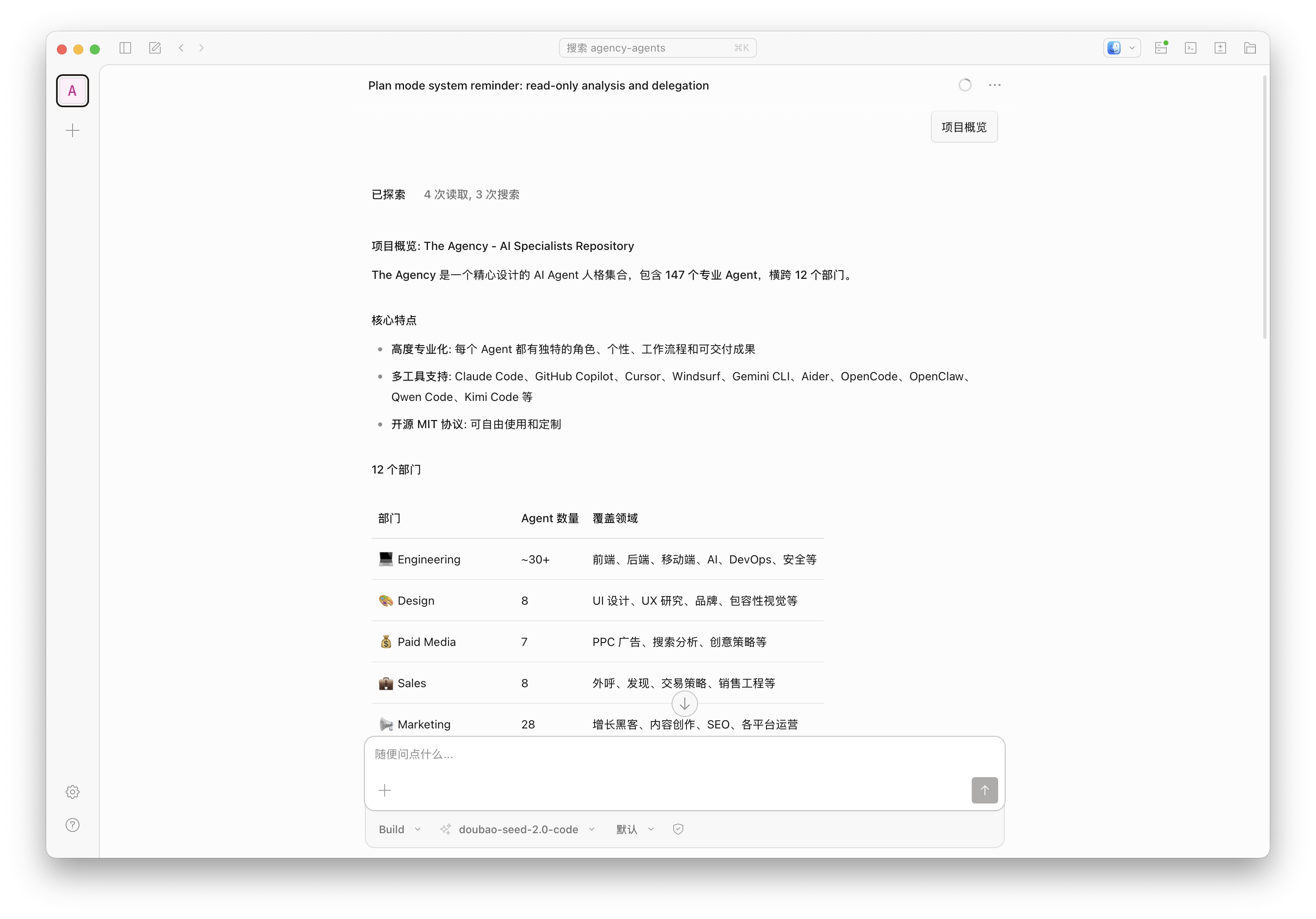
桌面应用程序
配置 OpenCode
vim ~/.config/opencode/opencode.json
{
  "$schema": "https://opencode.ai/config.json",
  "model": "volcengine-plan/ark-code-latest",
  "provider": {
    "volcengine-plan": {
      "npm": "@ai-sdk/openai-compatible",
      "name": "Volcano Engine",
      "options": {
        "baseURL": "https://ark.cn-beijing.volces.com/api/coding/v3",
        "apiKey": "<ARK_API_KEY>"
      },
      "models": {
        "ark-code-latest": {
          "name": "ark-code-latest",
          "limit": {
            "context": 256000,
            "output": 4096
          },
          "modalities": {
            "input": [
              "text",
              "image"
            ],
            "output": [
              "text"
            ]
          }
        },
        "glm-4.7": {
          "name": "glm-4.7",
          "limit": {
            "context": 200000,
            "output": 4096
          },
          "modalities": {
            "input": [
              "text"
            ],
            "output": [
              "text"
            ]
          }
        },
        "deepseek-v3.2": {
          "name": "deepseek-v3.2",
          "limit": {
            "context": 128000,
            "output": 4096
          }
        },
        "doubao-seed-2.0-code": {
          "name": "doubao-seed-2.0-code",
          "limit": {
            "context": 256000,
            "output": 4096
          },
          "modalities": {
            "input": [
              "text",
              "image"
            ],
            "output": [
              "text"
            ]
          }
        },
        "doubao-seed-2.0-pro": {
          "name": "doubao-seed-2.0-pro",
          "limit": {
            "context": 256000,
            "output": 4096
          },
          "modalities": {
            "input": [
              "text",
              "image"
            ],
            "output": [
              "text"
            ]
          }
        },
        "doubao-seed-2.0-lite": {
          "name": "doubao-seed-2.0-lite",
          "limit": {
            "context": 256000,
            "output": 4096
          },
          "modalities": {
            "input": [
              "text",
              "image"
            ],
            "output": [
              "text"
            ]
          }
        },
        "minimax-m2.5": {
          "name": "minimax-m2.5",
          "limit": {
            "context": 200000,
            "output": 4096
          },
          "modalities": {
            "input": [
              "text"
            ],
            "output": [
              "text"
            ]
          }
        },
        "kimi-k2.5": {
          "name": "kimi-k2.5",
          "limit": {
            "context": 256000,
            "output": 4096
          },
          "modalities": {
            "input": [
              "text",
              "image"
            ],
            "output": [
              "text"
            ]
          }
        }
      }
    }
  }
}
安装 agency-agents 到 OpenCode
agency-agents 是 GitHub 上一个开源项目,打造了拥有 144 个分属 12 大业务板块的专业化 AI 智能体体系,每个智能体均具备专属性格、专业流程和可落地交付成果,支持 Claude Code、OpenCode 等多款工具集成,能为各类工作流提供定制化的 AI 专家协作能力。
克隆 agency-agents
git clone https://github.com/msitarzewski/agency-agents
cd agency-agents
转换格式
./scripts/convert.sh --tool opencode
安装到 OpenCode
./scripts/install.sh --tool opencode
The Agency -- Installing agents
  Repo:       /Users/junjian/GitHub/agency-agents
  Installing: opencode

  [====================] 1/1
  [1/1] opencode
[OK]  OpenCode: 162 agents -> /Users/junjian/GitHub/agency-agents/.opencode/agents
[!!]  OpenCode: project-scoped. Run from your project root to install there.

  +------------------------------------------------+
  |   Done!  Installed 1 tool(s).                  |
  +------------------------------------------------+

  Run ./scripts/convert.sh to regenerate after adding or editing agents.
使用 OpenCode
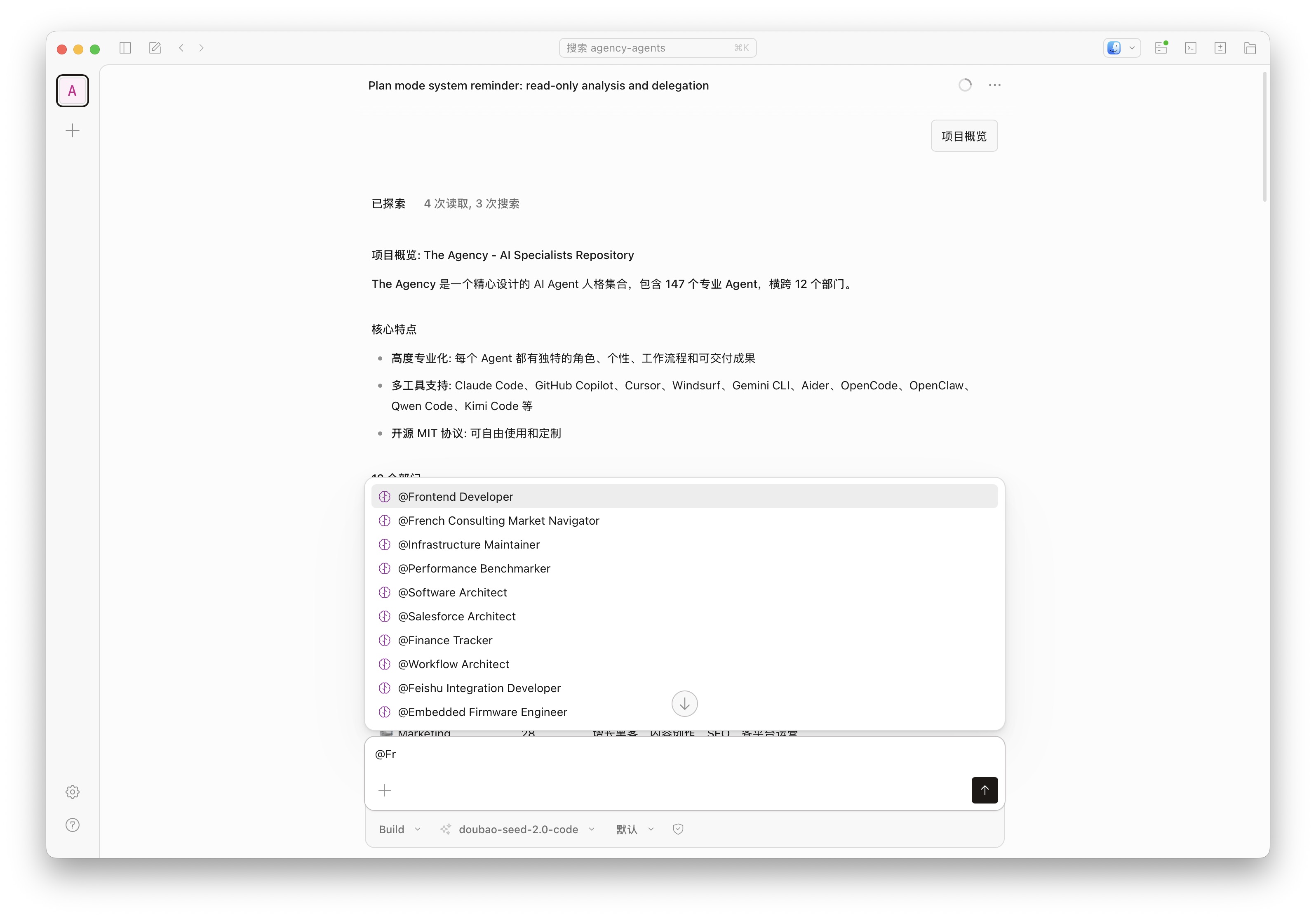
@agent-name 指定使用的智能体
CLI
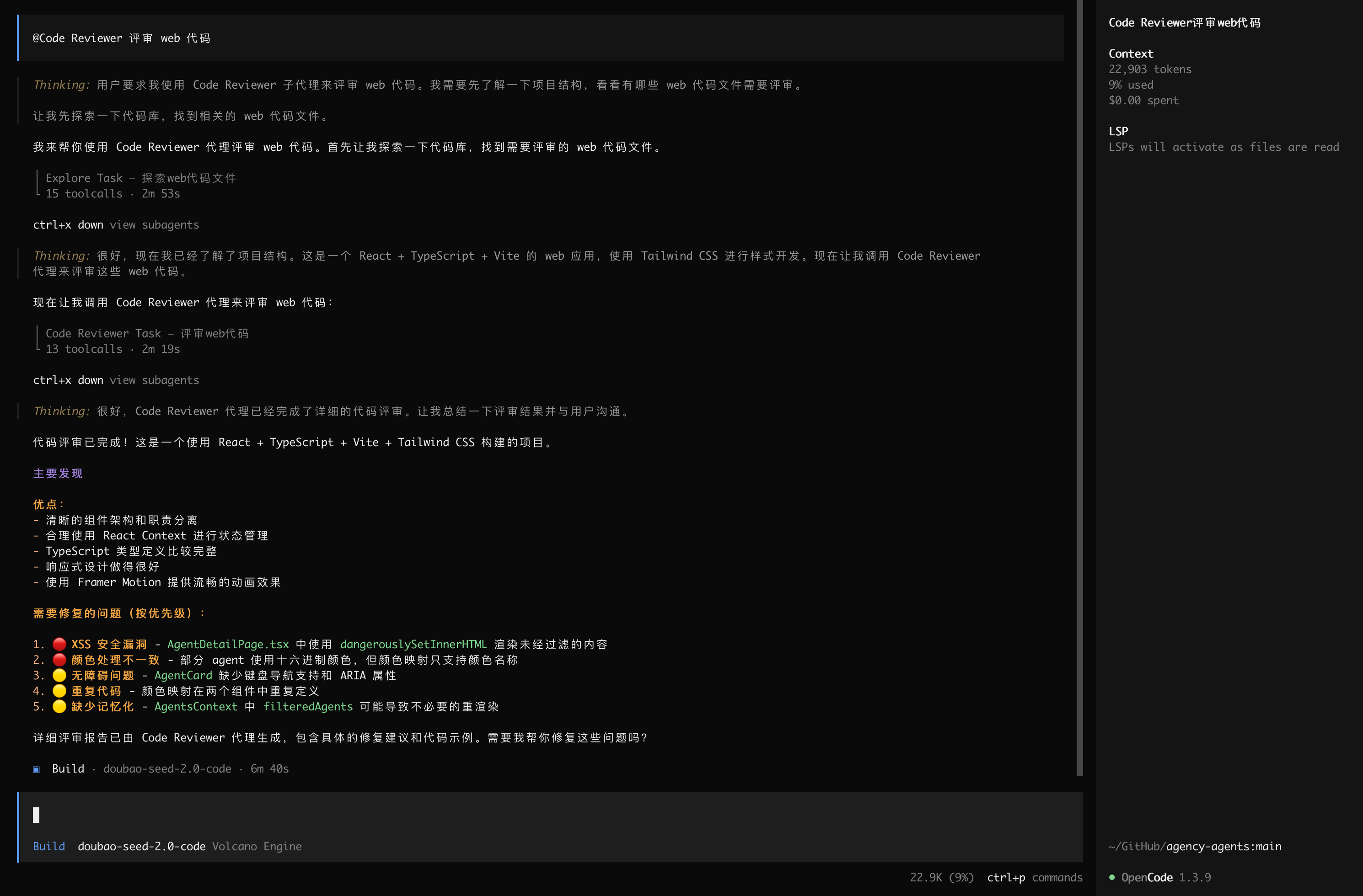
桌面应用